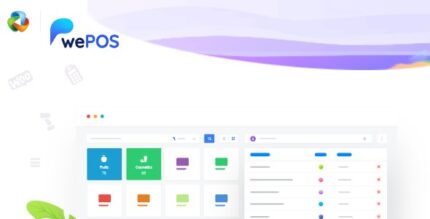
wePOS Pro 1.1.3 – A Point of Sales Plugin Built for WooCommerce

wePOS Pro is a powerful WooCommerce POS plugin that lets you customize features, take orders, and monitor real-time inventory across your store. It delivers a seamless in-person checkout experience with real-time syncing and easy WooCommerce integration, boosting sales and accuracy. An intuitive interface and flexible settings make it a smart choice for modern retailers.
Description
wePOS Pro is a WordPress plugin designed for WooCommerce stores that need an in-person checkout workflow. It provides a Point of Sale (POS) experience so you can take orders on-site while staying connected to your online product catalog. The plugin helps solve a common retail challenge: inventory mismatches between POS sales and the WooCommerce store. With real-time syncing, changes made during checkout are reflected across your store so staff can sell with confidence. An intuitive interface and flexible settings make it easier to adapt POS operations to your daily routine.
Main Features
- WooCommerce POS order capturing — Take orders through a POS workflow that operates directly with your WooCommerce setup.
- Customizable POS features — Adjust available functionality and how the POS experience is presented.
- Real-time inventory tracking — Monitor stock levels as products are sold to reduce overselling risk.
- Real-time syncing with your store — Keep POS activity aligned with WooCommerce data updates as they happen.
- Responsive, easy-to-use interface — Use the POS experience comfortably during in-person transactions.
- Flexible settings — Configure behavior to better match your store’s checkout needs.
- Seamless WooCommerce integration — Work with your existing WooCommerce products and order flow without duplicating data.
- Centralized visibility — Track updates and inventory changes across your WooCommerce store from one place.
Benefits
- More accurate stock — Real-time inventory tracking reduces inventory discrepancies between POS and the website.
- Fewer checkout errors — Syncing keeps staff working with up-to-date availability, improving order accuracy.
- Better customer experience — A streamlined in-person checkout flow supports smoother transactions.
- Consistent operations — Integration with WooCommerce helps ensure the same catalog and order logic are used across channels.
- Easier workflow setup — Customizable features and flexible settings help match the POS experience to your process.
Who is it suitable for?
- WooCommerce stores running in-person sales alongside their online shop
- Retailers that need real-time inventory alignment across multiple selling points
- Small businesses and shops managing daily walk-in orders
- Digital-first brands expanding into physical checkout
- Teams using WordPress/WooCommerce to centralize products and order data