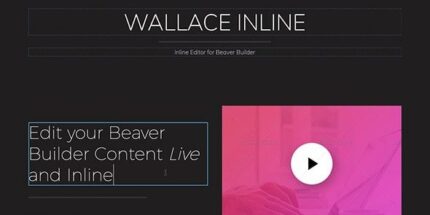
Wallace Inline 2.3.0 – Front-end content editor for Beaver Builder

Wallace Inline is a complete standalone inline editing interface for WordPress that lets clients manage their site without distractions or risking your hard work. It’s fast, easy, and designed to keep editors focused, while you enjoy a smoother workflow and fewer support headaches.
Description
Wallace Inline is a standalone WordPress plugin that provides an inline editing interface for clients. Instead of sending editors through the full backend, it brings focused, on-page updates into a distraction-free workflow.
The goal is to help non-technical users manage content without accidentally breaking layouts or undoing your work. With a fast, easy editing experience, teams can make changes quickly while you keep control of the design and structure.
Built for real WordPress usage, Wallace Inline supports smoother collaboration between site owners, editors, and agencies by reducing confusion and support back-and-forth.
Main Features
- Standalone inline editor — Provides an editing interface focused on making changes directly on the page.
- Distraction-free workflow — Helps clients stay focused by separating editing from complex admin screens.
- Client-safe editing experience — Reduces the chance of messing up your hard work through a guided interface.
- Fast in-browser editing — Streamlines the process so editors can update content without delays.
- Easy for clients to learn — Clear, simple interaction helps non-technical users feel comfortable.
- Inline change visibility — Lets editors work with context by seeing updates in place.
- Designed for editor focus — Minimizes distractions so edits stay consistent and intentional.
- Smoother team workflow — Supports a more efficient handoff between you and your clients.
Benefits
- Fewer risky edits — Reduces accidental changes that can disrupt your theme and page layout.
- Higher editorial efficiency — Helps clients complete updates faster with an inline, easy interface.
- Better UX for editors — Improves the editing experience by keeping tasks focused and understandable.
- Less support overhead — Cuts down on questions caused by confusion or navigating the full WordPress admin.
- More consistent content updates — Encourages careful, context-aware edits that match your site structure.
Who is it suitable for?
- WordPress agencies managing multiple client sites
- Website owners who want safer content updates
- Marketing teams publishing frequent page changes
- Content managers supporting non-technical contributors
- WooCommerce store teams with regular merchandising updates