Walker 1.1.7 – Google Street View for Elementor
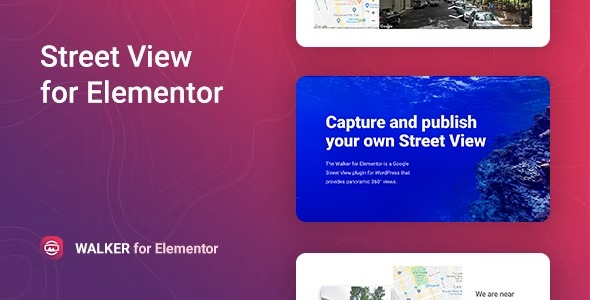
Walker is a WordPress plugin that delivers 360° Google Street View panoramas from designated roads via an easy Elementor widget. It boosts engagement with immersive street-level previews and seamless Google Maps API integration, no coding required. Quick setup, responsive design, and a modern look make location pages feel alive.
Description
Walker is a WordPress plugin that adds immersive 360° Google Street View panoramas to your site. It pulls street-level views from designated roads and displays them as panoramic previews directly on your pages or posts. With an easy Elementor widget, you can place Street View experiences on location sections without coding.
Built for smooth Google Maps API integration, Walker helps make location pages feel more interactive and informative. The setup is quick, the output is responsive for mobile visitors, and the design stays modern so your embeds blend cleanly into your theme.
Main Features
- 360° Street View panoramas — Show immersive panoramic views for street-level exploration.
- Designated road coverage — Displays panoramas from roads supported within the coverage area.
- Elementor widget — Add Street View content using a simple drag-and-drop Elementor element.
- Google Maps API integration — Connects the embedded panorama experience through Google Maps API.
- No-coding setup — Configure and insert the panorama without technical development work.
- Page and post embedding — Place Street View directly inside your WordPress content layouts.
- Responsive display — Keeps the panorama experience usable across screen sizes.
- Modern visual presentation — Helps the embedded viewer fit naturally within a professional page design.
Benefits
- More engagement — Encourages visitors to explore places with an immersive 360° preview.
- Improved location UX — Makes directions and place context clearer than static images.
- Faster content building — Elementor support streamlines adding panoramas to multiple templates or pages.
- Better on mobile — Responsive rendering helps maintain usability on phones and tablets.
- Richer page experience — Adds unique, location-focused visual content that can improve perceived quality.
Who is it suitable for?
- Real estate websites with property or neighborhood location pages
- Travel and tourism businesses showcasing destinations
- Local business directories that highlight addresses and areas
- Agencies building WordPress and Elementor site pages for clients
- Content creators publishing travel guides or area spotlights
- Any WordPress site that wants a Google Maps-style, street-level embed