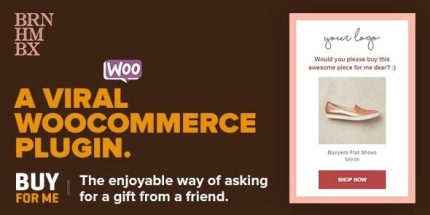
Viral WooCommerce 4.1.2 – Plugin: BuyForMe

Viral WooCommerce is a lightweight plugin that adds a 'Buy For Me' button on category and product pages, letting customers send the product image, title and price to friends to request a gift. It boosts shares and conversions with a brand-aligned, mobile-friendly experience and a quick 5-minute setup with customizable colors and translations.
Description
Viral WooCommerce is a lightweight plugin for WordPress and WooCommerce that adds a “Buy For Me” button to your category and product pages. Instead of a generic email link, shoppers can send the product itself—image, title, and price—to friends to request a gift. This supports a more natural sharing flow, helping customers reach the right product faster.
Built to match your store’s look, the button follows your WooCommerce theme design while staying mobile-friendly and responsive. With a quick setup (around 5 minutes), you can customize colors, translations, and visibility rules, so the experience stays consistent across your store.
Main Features
- “Buy For Me” button on key pages — Appears on WooCommerce category and product pages.
- Brand-matched styling — Uses your theme’s colors and font by default, with editable overrides.
- Customizable button label — Replace “Buy For Me” with your preferred wording.
- Per-product control — Enable or disable the button per product and toggle it globally.
- Category visibility toggle — Show or hide the button specifically on category pages.
- Unlimited color options — Choose from unlimited styling colors and preview the result in your store.
- Optional icon support — Works with Font Awesome so you can add an icon to the button.
- Shortcode support — Display the button using a shortcode when needed.
- WPML compatibility — Translate the plugin UI using WPML, with a .pot file included.
- Performance-focused — Lightweight structure designed for speed and compatibility with different setups (including Quick View plugins).
Benefits
- More shares — Turning “gift requests” into a product-based send increases the chance friends act.
- Higher conversions — Showing the product image, title, and price makes it easier to choose quickly.
- Better UX — A clear email preview window reduces confusion versus a basic link-style message.
- Consistent branding — Theme-based colors, fonts, and optional custom CSS keep the button aligned with your design.
- Global reach — WPML-ready translations support multilingual stores without extra translation steps.
Who is it suitable for?
- WooCommerce stores that want a more engaging way to request gift purchases.
- Online retailers with active product sharing via email or friend recommendations.
- Agencies managing multiple WooCommerce themes and need consistent styling controls.
- Multilingual businesses using WPML to reach international customers.
- Stores using product UX add-ons like “Quick View” and similar plugins.