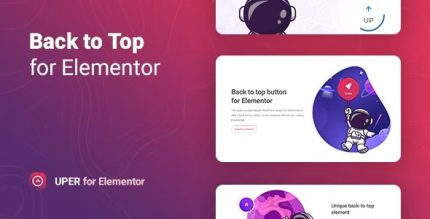
Uper 1.0.6 – Back to Top Button for Elementor

Uper adds a back-to-top button in minutes with a lightweight WordPress plugin for Elementor, requiring no coding. It boosts user experience and conversions by letting visitors return to the top with a simple click, thanks to easy placement and fast setup. Clean, seamless integration—explore Uper today.
Description
Uper is a lightweight WordPress plugin designed for Elementor users who want a back-to-top button without any coding. It solves the common usability problem where visitors have to manually scroll long pages to return to the top. With a fast setup, Uper lets you place a simple “back to top” control exactly where it’s convenient on your pages. This improves overall user experience, which can support better engagement and conversions.
Because it’s built to work smoothly alongside Elementor and common WordPress themes, you can add the feature in minutes and keep your pages clean and functional. Uper focuses on seamless integration, so your site navigation feels more complete for every visitor.
Main Features
- Back-to-top button — Adds a quick button that returns visitors to the top of the page with one click.
- Elementor integration — Works with Elementor-based layouts so you can apply it to your existing pages.
- No-code setup — Lets you enable and configure the button without writing custom code.
- Easy placement — Lets you position the button in a convenient area for your site visitors.
- Lightweight plugin — Stays small and focused, helping you keep pages efficient.
- Fast configuration — Designed to be added in only a few clicks, reducing setup time.
- Clean, seamless behavior — Provides a straightforward navigation aid that doesn’t distract from content.
- UX-focused interaction — Helps users recover quickly from long scrolls, improving browsing comfort.
Benefits
- Better UX — Makes long pages easier to navigate by reducing manual scrolling.
- Higher engagement — Encourages visitors to continue exploring instead of bouncing after reaching the bottom.
- Potential conversion lift — Supports conversion-focused flows by keeping key content reachable.
- Improved page usability — Helps visitors quickly return to menus, hero sections, or top CTAs.
- Easy maintenance — Simple setup within WordPress and Elementor workflows reduces ongoing effort.
Who is it suitable for?
- WooCommerce stores with long product and category pages built in Elementor.
- Business websites and landing pages that benefit from smoother top-of-page access.
- Blogs and content-heavy sites with multi-section posts.
- Creative agencies building client sites with Elementor.
- Online schools and course sites with long lesson or curriculum pages.
- Content creators managing frequently updated WordPress pages in Elementor.