Toolset Maps Display anything as markers on Google Maps 2.4.0

Toolset Maps for WordPress empowers you to place any data as markers on Google Maps, from a single address on a contact page to complex search results visualization. It delivers precise geolocation to boost user engagement and conversions. Easy integration with Types, WP Views and CRED makes setup fast and painless.
Description
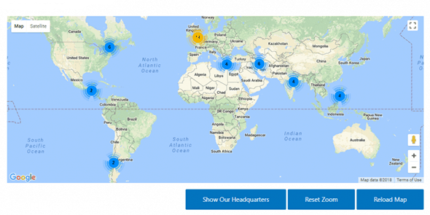
Toolset Maps for WordPress lets you display any of your data as markers on Google Maps, directly inside your site. It’s designed to solve the common problem of presenting locations and results in a static list format instead of a clear map view. Whether you want to show a single address on a contact page or visualize complex search results, Toolset Maps helps users understand where things are at a glance.
Built to extend Toolset components, it works with Types, WP Views, and CRED to bring advanced geolocation into your existing workflows. After you connect your data, the plugin applies precise geolocation so your map markers reflect the right places and improve how visitors engage with your content.
Main Features
- Google Maps marker display — Render any WordPress data as map markers.
- Simple single-location use — Place a single address on pages like “Contact Us.”
- Search results visualization — Show multiple results on a map, not just in a list.
- Advanced geolocalization — Use geolocation to position markers accurately on Google Maps.
- Integration with Types — Geolocalize data built with custom Types fields.
- Integration with WP Views — Map data generated by Views-based layouts and queries.
- Integration with CRED — Bring content updates into geolocated map displays.
- Fast setup with existing workflows — Use your current Toolset structure to configure maps efficiently.
Benefits
- Better engagement — Visitors can quickly spot locations and relevant results on a map.
- Higher conversions — Clear geography helps users take action (for example, contacting or choosing a location).
- Improved UX — Map-based browsing is easier than scanning long address lists.
- More relevant discovery — Search-driven marker display makes results feel more usable.
- Streamlined content management — Markers stay aligned with Types, WP Views, and CRED data flows.
Who is it suitable for?
- WooCommerce stores that want location-based pickup or service areas
- Directory and listing websites built with Types and WP Views
- Agencies creating custom WordPress projects with map-driven pages
- Real estate, rentals, or local business platforms showing multiple results
- Content teams using CRED to manage and update location data
- Community and event sites that need clear geographic discovery