Toolset Blocks 1.6.29

Description
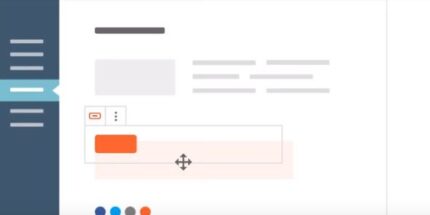
Toolset Blocks is a WordPress plugin that lets you design all your Toolset templates inside the WordPress Block Editor (Gutenberg). Instead of building layouts in separate tooling, you can work directly with block-based editing to assemble consistent page and template structures. This helps solve the common workflow gap between template design and block publishing, keeping your layout process in one familiar interface. With drag-and-drop composition and pixel-focused control, you can create templates that match your design intent from start to finish.
Ideal for teams and site builders who want faster iteration and reusable patterns, Toolset Blocks supports a template workflow that stays aligned with modern WordPress editing—so you spend less time reformatting and more time refining content experiences.
Main Features
- Block Editor template building — Create Toolset templates using the WordPress Block Editor interface.
- Toolset template compatibility — Design and assemble templates intended for Toolset’s template workflow.
- Drag-and-drop layout control — Reorder and structure sections quickly with block-based editing.
- Pixel-focused results — Build layouts with precision using the Block Editor’s visual editing approach.
- Consistent layout patterns — Reuse the same template structure to keep pages uniform across the site.
- Intuitive block-based workflow — Use familiar block controls to speed up template creation.
- Seamless integration with Toolset templates — Keep your template creation streamlined within the same design flow.
Benefits
- Faster template builds — Reduce setup time by designing Toolset templates directly in the Block Editor.
- Better UX consistency — Maintain uniform sections and spacing across reusable templates.
- Higher design accuracy — Achieve more pixel-perfect outcomes with visual, block-based placement.
- Smoother editing workflow — Avoid switching tools, since template editing happens in WordPress.
- More efficient iteration — Quickly adjust layouts as requirements change without rebuilding from scratch.
Who is it suitable for?
- WooCommerce store builders using Toolset templates.
- WordPress agencies creating reusable page templates for clients.
- In-house marketing teams managing landing pages and structured layouts.
- Developers and designers who prefer Gutenberg-style block workflows.
- Content teams standardizing layouts across blogs, directories, or knowledge bases.
- Anyone maintaining multiple templates and aiming for consistent page design.