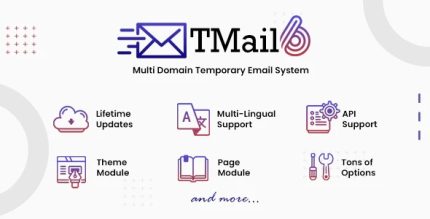
Tmail 7.9.1 – Multi Domain Temporary Email System

Tmail is a simple, fast, mobile-ready temporary email system for WordPress that streamlines verifications and signups. It installs in minutes, saving you time while maintaining user privacy and reliable delivery. Perfect for testing and onboarding—explore this lightweight solution and see how smooth temp emails can be.
Description
Tmail is a simple, fast, mobile-ready temporary email system for WordPress. It helps streamline verifications and signup flows by providing temporary inboxes that reduce friction during testing and onboarding.
Built as a lightweight PHP solution, Tmail installs in minutes (about 4 minutes) and is designed to be easy to set up on your server. For teams running demos, QA checks, or user trials, it offers a practical way to handle email steps without creating permanent accounts.
With a focus on user privacy and reliable delivery, Tmail supports smoother verification experiences while keeping your WordPress workflow efficient—especially when used alongside your existing theme or template kit and Elementor-based pages.
Main Features
- Temporary email inboxes — Generate short-lived addresses for testing, verifications, and signups.
- Fast, lightweight PHP system — Runs efficiently to keep your WordPress setup responsive.
- Mobile-ready operation — Ensures temporary email access works smoothly on phones and tablets.
- Quick server installation — Designed to be installed in just a few minutes.
- Verification flow support — Helps streamline processes that depend on email confirmation.
- User privacy focus — Uses temporary inboxes to avoid unnecessary creation of permanent user emails.
- Reliable delivery behavior — Aims to keep confirmation messages arriving as expected for signups and tests.
- Easy-to-follow setup — Includes a clear installation process to help you get started quickly.
Benefits
- Faster onboarding tests — Reduce time spent creating real inboxes during QA and trial runs.
- Lower signup friction — Keep email-based verification steps smoother for test users.
- Better UX during verification — Mobile-ready temporary email access supports on-the-go signups.
- Improved privacy handling — Limits exposure by relying on temporary addresses instead of permanent accounts.
- More reliable verification results — Supports consistent delivery for confirmation emails used in signup flows.
Who is it suitable for?
- WordPress site owners testing signup and verification steps
- WooCommerce stores needing smoother customer onboarding checks
- Agencies building and validating client demos with Elementor pages
- QA testers running repeated onboarding scenarios
- Content creators and landing-page teams managing trial or registration flows
- Teams onboarding users for online tools or learning platforms