Tiger 1.0 – Corporate Social Network Template
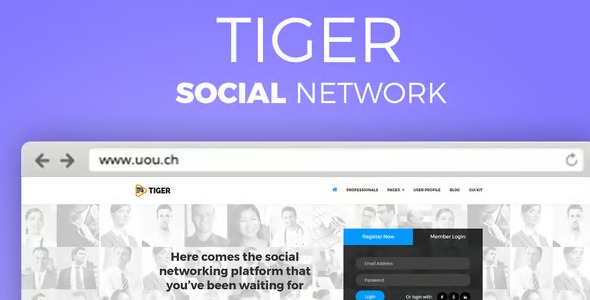
Tiger is a sleek corporate social network template that helps professionals and companies connect effortlessly. Designed as a Wordpress template for seamless integration, it boosts engagement with a clean, modern UI and easy collaboration tools—Explore Tiger today.
Description
Tiger is a corporate social network template kit for WordPress, built for professionals and companies who want an online community experience. It helps you move from a static website to an interactive space where people can share updates, discover members, and stay connected. The clean, modern layout is designed to support engagement with clear structure and readable content areas.
With pre-arranged template sections and a sleek UI style, Tiger makes it easier to launch a branded social platform on WordPress without starting from scratch. It supports collaboration-oriented workflows by giving your community the visual components needed for ongoing interaction.
Main Features
- Corporate social network layout — A modern page structure tailored to professional community use.
- Member and community sections — Built-in areas for showcasing people and organizing community content.
- Activity feed styling — Feed-focused design that keeps updates easy to scan.
- Profile-focused presentation — Clean layout patterns for professional identity and shared information.
- Community interaction areas — Template sections intended for posts, updates, and ongoing engagement.
- Responsive UI — Consistent experience across desktop and mobile screens.
- Brandable design system — Cohesive styling to help match corporate branding across pages.
- Template kit page building — Pre-planned sections that streamline setting up key pages in WordPress.
Benefits
- Higher engagement — Feed and profile-focused sections encourage more frequent interaction.
- Better user experience — A clean UI reduces friction when users browse updates and community info.
- Faster setup — Ready-to-use templates help you build a social-style site without starting from blank layouts.
- More meaningful connections — Member and community presentation supports networking and collaboration.
- Clearer navigation — Structured sections improve how visitors find what matters.
Who is it suitable for?
- Corporate communities and professional networks
- WordPress-based company intranets
- Organizations launching member engagement platforms
- Agencies building community-style client websites
- Startups and HR teams creating onboarding communities
- Industry groups hosting professional discussions