Ticky Helpdesk 1.7.0 – Support Ticketing System & Knowledge base
Description
Ticky Helpdesk is a self-hosted help desk plugin for WordPress that centralizes customer support in one place. Instead of scattering conversations across emails and notes, it brings your support tickets and your online knowledge base into a clean, easy-to-manage interface.
Designed for teams that need clarity and speed, Ticky helps you handle incoming requests more efficiently while giving visitors a self-service hub to find answers. Because it runs on your own WordPress setup, you keep full control of your support workflow and data.
With a straightforward layout that fits naturally into a WordPress site, Ticky is a practical way to organize support and improve the overall customer experience—especially when you want knowledge articles alongside ticket handling.
Main Features
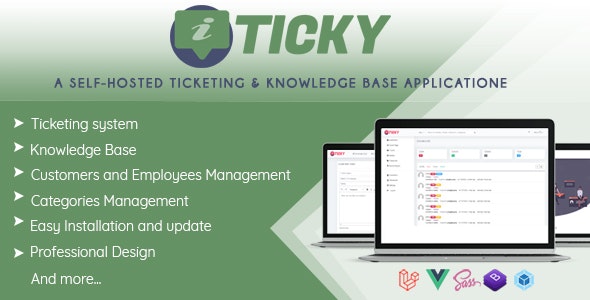
- Centralized ticket management — View and organize customer support tickets in a single WordPress-based interface.
- Integrated knowledge base — Maintain an online library of support articles alongside your ticket workflow.
- Clean, simple UI — Use a straightforward layout that makes support tasks easier to follow and manage.
- Self-hosted help desk — Run the solution on your own infrastructure for added control over your environment.
- Self-service support hub — Let users look up help articles without waiting for a ticket response.
- WordPress-friendly setup — Works as a WordPress plugin and fits existing site structures.
- Integration with your site content — Pair help articles and support handling within the same WordPress experience.
Benefits
- Faster support flow — Centralized tickets reduce time spent searching and coordinating customer requests.
- Better customer self-service — A knowledge base helps users find answers quickly, improving satisfaction.
- More consistent resolutions — Keeping articles and ticket context together supports steadier, repeatable answers.
- Improved UX — A clean interface makes both customer and team interactions easier to understand.
- SEO-friendly knowledge content — An organized knowledge base can help your site’s informational pages rank for relevant queries.
Who is it suitable for?
- WooCommerce stores that need structured customer support
- WordPress site owners managing tickets and help content
- Agencies supporting multiple client websites
- Online communities that publish troubleshooting and how-to articles
- Content teams creating evergreen documentation in a knowledge base
- Small businesses transitioning from email-based support to a help desk