TF IconBox 1.0.3 – Addon for elementor
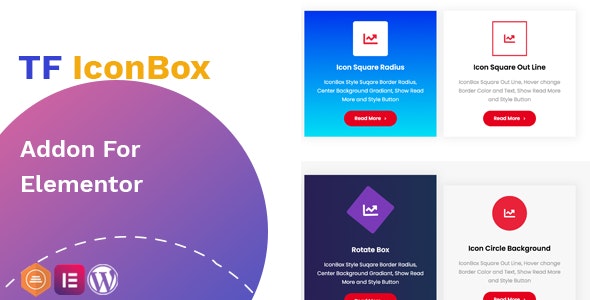
TF IconBox is a WordPress plugin for Elementor that lets you create beautiful content boxes with icons and hover effects. It delivers a faster way to build engaging layouts, boosting user interaction and conversions. With modern layouts and easy customization, it integrates seamlessly for a polished, professional look.
Description
TF IconBox is a WordPress plugin built for Elementor that helps you create engaging content boxes featuring icons and hover effects. It solves the common problem of spending extra time styling repeatable sections by giving you ready-to-use layout options. Instead of redesigning box elements from scratch, you can assemble polished blocks faster and keep your pages consistent.
Whether you’re enhancing a landing page, services section, or informational content, TF IconBox supports modern visual presentation and straightforward customization. The result is a cleaner workflow inside Elementor, with a more interactive experience for visitors.
Main Features
- Elementor-friendly content boxes — Create icon-based boxes directly within the Elementor editor.
- Icon integration — Add icons to each box to improve scannability and visual hierarchy.
- Hover effects — Use hover interactions to make layouts feel more responsive and engaging.
- Modern box layout options — Choose from a variety of modern content box designs.
- Easy style customization — Customize box styles to match your theme and page layout.
- Reusable section building — Build consistent box components for repeated sections across your site.
- Clean, professional presentation — Support a polished look for marketing and informational content.
- Faster layout creation — Reduce the time spent recreating similar boxed sections.
Benefits
- More engagement — Hover effects and icon structure encourage interaction and attention.
- Faster page building — Layout templates speed up production when creating multiple boxes.
- Better UX clarity — Icons and boxed formatting improve how users scan and understand content.
- Consistent visuals — Style customization helps maintain a uniform design across pages.
- Improved conversions — Well-structured sections support clearer messaging and stronger calls to action.
Who is it suitable for?
- WooCommerce store owners adding service highlights, guarantees, or benefits sections
- Marketing websites and landing pages built with Elementor
- Agencies creating reusable components for multiple client pages
- Bloggers and content publishers enhancing article-based callouts and summaries
- Online course or membership sites presenting lesson features and course benefits
- SaaS teams building consistent feature and documentation-style blocks