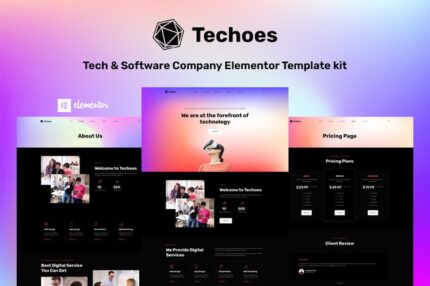
Techoes – Tech & Software Company Elementor Template kit

| Cetegory: | Technology & Apps |
|---|---|
| Full Preview: | Techoes |
| More Info: | Themeforest |
| HOW TO INSTALL |
Description
Techoes Tech & Software Company Elementor Template kit is designed for Tech and Software Company who wants to showcase their Product with professional way. Techoes has a simple, modern and clean design with a 100% responsive layout, and very easy to customize because using Elementor so you dont need a single line of coding!
This template kit includes stunning carefully crafted 10+ Pages and 10+ stunning templates, you can build your professional-looking portfolio website just a click away.
Features:
- Using Free Plugins (Elementor Pro is not required)
- Unique & Clean Design
- 10+ Ready to Use Pages
- 10+ Ready to Use Templates
- Fully Responsive Layout
- Fully Customizable
- Cross Browser Compatibility: Chrome, Firefox, Safari, Opera
Templates Include:
- Global Theme Style
- Home
- About Us
- Services
- Service Details
- Blog
- Single Post
- Career
- Career Detail
- FAQs Page
- Pricing Page
- 404 Page
- Contact
- Header
- Footer
Required Plugin:
- Elementor
- ElementsKit Lite
- Elementor Header, Footer & Blocks
- Jeg Elementor Kit
- WPForms Lite
HOW TO INSTALL:
- Install and Activate the Envato Elements plugin from Plugins > Add New in WordPress
- Do not unzip
- Go to Elements > Installed Kits and click the Upload Template Kit button.
- Before importing a template, ensure the Install Requirements button is clicked to activate required plugins
- For best results, do not import more than one template at a time.
Setup Global Header and Footer in ElementsKit
- Import the header and footer template
- Go to ElementsKit > Header Footer select Header and click Add New
- Give it a title, leave Entire Site selected and toggle Activation to On
- Click the template title and Edit Content
- Click the gray folder icon and select the header template to import and Update.
- Repeat for Footer
Notes:
This Template Kit uses demo images from Envato Elements. You will need to license these images from Envato Elements to use them on your website, or you can substitute them with your own.
- https://elements.envato.com/elements-unicorn-vector-gradients-colorful-background-GRKYHC8
- https://elements.envato.com/image-WWNHGZA
- https://elements.envato.com/image-VDMBKNY
- https://elements.envato.com/image-QSB3Y5L
- https://elements.envato.com/image-8X63RB9
- https://elements.envato.com/image-NF4YWJG
- https://elements.envato.com/image-3BVCYPA
- https://elements.envato.com/image-J2Z9VNB
- https://elements.envato.com/image-45RBUVB
- https://elements.envato.com/image-PZY87DV
- https://elements.envato.com/image-VSCRJXP
- https://elements.envato.com/image-L4KNY8Q
- https://elements.envato.com/image-VM7J9AP
- https://elements.envato.com/image-52Q47WE
- https://elements.envato.com/image-XUDY3V3
- https://elements.envato.com/image-QD6VBXB
- https://elements.envato.com/image-PAUPQE3