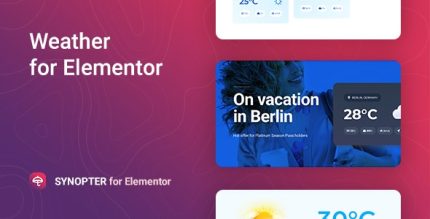
Synopter 1.1.11 – Weather for Elementor

Synopter is a WordPress weather plugin that delivers up-to-date forecasts for any city through an Elementor widget. Built on OpenWeatherMap with a free API key, it’s easy to use and scalable with paid plans for expanded data, offering a clean, design-friendly way to show precise weather on your site.
Description
Synopter is a WordPress weather plugin that shows up-to-date forecasts for any city using the OpenWeatherMap API. You can connect your free API key to get current meteorological data and display it directly on your website. With an Elementor widget, Synopter makes it simple to place weather information inside pages and templates without complex setup. It’s useful for keeping location-based content relevant, especially for service sites that depend on local conditions. The plugin is also designed to scale, with paid plans offering expanded opportunities when you need broader forecast data.
Main Features
- City-based forecasts — Add weather data for a specific city and keep it aligned with current conditions.
- Up-to-date meteorological information — Displays timely forecast details driven by the OpenWeatherMap feed.
- Elementor widget integration — Place weather details in Elementor layouts, pages, and template areas.
- OpenWeatherMap API foundation — Uses the OpenWeatherMap service as the data source for forecasts.
- Free API key setup — Works with a free API key for initial implementation with limitations.
- Configurable API access — Connect your API key so the widget can retrieve forecasts for your selected city.
- Scalable data options — Paid plans enable expanded opportunities for broader forecast needs.
Benefits
- More relevant experiences — Visitors see local conditions tied to the city you configure.
- Improved on-page UX — Weather info appears exactly where users expect it within your Elementor design.
- Faster content updates — Forecast data refreshes through the OpenWeatherMap connection.
- Design-friendly placement — Integrates cleanly into Elementor layouts for a cohesive look.
- Better planning for local services — Helps businesses and communities communicate conditions more accurately.
- Expandable forecast scope — Supports growth when you move beyond the free API limitations.
Who is it suitable for?
- Local service businesses using WordPress and Elementor
- WooCommerce stores that want location-based weather context
- Agencies building client websites with Elementor layouts
- City/region directory or community sites
- Online booking platforms where local conditions matter
- Content creators publishing city-specific updates