SurvForm 1.0.7.9 – Survey Form Builder Plugin For WordPress
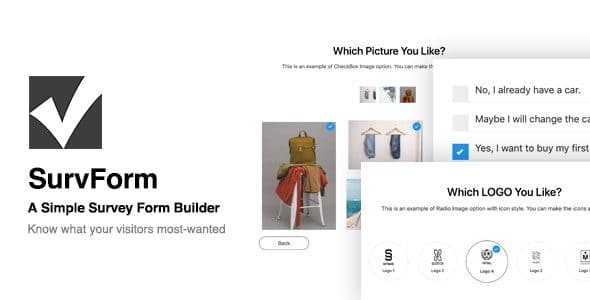
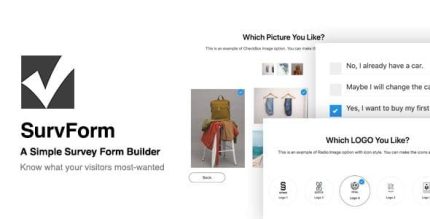
SurvForm is a simple survey form builder for WordPress that lets you create multi-page surveys with 11 field types and a clean, mobile-friendly UI. It helps you collect visitor data directly on your site to refine your product, service, or content strategy, with effortless integration and customizable templates.
Description
SurvForm is a simple WordPress survey form builder that helps you collect visitor data directly on your site. It’s designed for multi-page surveys, so you can guide users step-by-step and capture clearer intent than with a single short form. With a clean, mobile-friendly interface and customizable templates, SurvForm fits naturally into WordPress themes and page layouts.
By turning responses into backend submissions, SurvForm supports better product, service, and content decisions. It also includes UI options for image-based choices and seamless integration patterns commonly used in WordPress marketing workflows, including Elementor-friendly page building.
Main Features
- Multi-page survey builder — Create surveys across multiple pages to structure longer questionnaires.
- 11 field types — Use Checkbox image, Radio image, Checkbox, Radio button, Text, URL, Password, Number, Email, Textarea, and Select.
- Customizable form template — Adjust the survey layout using a template-based design for consistent styling.
- Mobile-friendly UI — Keep inputs easy to read and use on small screens.
- Image grid infinite scrolling — Browse larger image option sets without loading delays.
- Icon style for image options — Apply icon-style visuals to checkbox image and radio image choices.
- Theme compatibility based on page template — Remain highly compatible with your theme by leveraging the built-in page template approach.
- AJAX register and login integration — Integrate register/login flows using AJAX for smoother interactions.
- Backend data collection — Store submissions so you can review what visitors want most.
- Custom logo upload — Add your branding to the survey experience.
Benefits
- Higher-quality insights — Multi-page structure helps you capture clearer visitor intent for better decisions.
- Better mobile UX — Mobile-friendly layout reduces friction and improves completion rates.
- More engaging answers — Image-based options with icon styling make choices easier and more consistent.
- Faster review of submissions — Backend collection organizes results so you can act on feedback sooner.
- Consistent site appearance — Theme-friendly template usage helps keep surveys aligned with your WordPress design.
Who is it suitable for?
- WordPress site owners running visitor feedback and preference surveys
- WooCommerce store teams planning product and category improvements
- Content publishers and bloggers validating topics and editorial direction
- Marketing agencies building form-based research for clients
- Online schools and course providers gathering learner interests