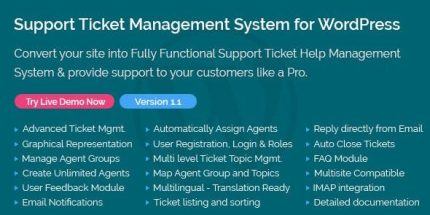
Support Ticket Management System for WordPress 1.9

Description
Support Ticket Management System for WordPress turns your WordPress site into a help desk for handling customer requests, from creation to resolution. It addresses common support bottlenecks by centralizing tickets, organizing them by topics and agent groups, and automating key parts of assignment. For WooCommerce stores and other customer-facing sites, it helps keep communication structured when requests arrive from email or the website. With multilingual support, configurable notifications, and reporting, your team can improve response times and customer experience over time.
The plugin also captures post-resolution feedback and offers tools to close tickets automatically, reducing follow-up work. Designed for different team sizes, it includes unlimited agent accounts and multiple user roles so you can assign work clearly across departments. IMAP integration helps store email replies and attachments directly in the ticket history.
Main Features
- Advanced ticket management — Manage support requests with a dedicated ticket listing and sorting for quick review.
- Unlimited agent accounts — Create unlimited agents, agent administrators, and agent groups without per-agent restrictions.
- Auto-assign agents — Automatically assign tickets on creation to agents, agent groups, agent admins, or group admins using rules like loop order or lowest workload.
- Multi-level ticket topics — Categorize tickets with a hierarchical topic structure to support more precise routing.
- Agent groups mapped to topics — Map topics to agent groups so tickets can be allocated faster and more accurately.
- Email notifications — Send configurable email alerts to site admin and ticket creators at different ticket stages.
- IMAP integration for replies — Receive email replies as ticket comments and fetch attachments stored with the ticket.
- User feedback module — Request ratings and feedback via email after a ticket is solved.
- Graphical reporting — View ticket, agent, group, feedback, and rating statistics in charts to analyze support performance.
Benefits
- Faster response workflow — Auto-assignment and topic-based routing reduce manual triage and speed up first handling.
- Better ticket organization — Multi-level topics and agent group mapping keep requests easy to route and track.
- Improved communication — Email notifications and email-to-ticket replies maintain consistent updates without switching tools.
- Smarter team workload distribution — Assignment options like lowest number of tickets help balance effort across agents and groups.
- Higher customer satisfaction insights — Post-solution ratings and graphical reports reveal trends to improve UX and service quality.
Who is it suitable for?
- WooCommerce stores handling customer support requests
- Small to mid-sized businesses that need a help desk on WordPress
- Agencies managing support for multiple client sites
- Teams that route tickets by department topics and agent groups
- Multilingual WordPress communities needing translation-ready workflows
- Multisite networks that want compatible ticket handling across sites