Support Board 3.9.1 – Chat And Help Desk
Description
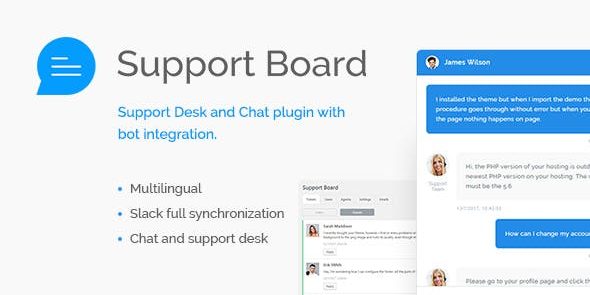
Support Board is a WordPress chat and support plugin designed to help you communicate with users in one place. It combines live chat and a complete tickets system so questions don’t get lost across channels. You can also organize support through a dedicated membership system, making it easier to manage access and engagement. Built for WordPress sites, it works with a clean, friendly interface that suits support desk workflows. With no coding required, it’s a practical way to streamline responses and improve the day-to-day user experience.
Whether you’re handling customer questions or community support, Support Board helps centralize conversations and keep your support process consistent. It’s made for easy integration with your WordPress setup, so you can start supporting users without complex setup steps.
Main Features
- Live chat — Enable real-time conversations with visitors directly from your WordPress site.
- Complete tickets system — Capture and manage support requests with a structured ticket workflow.
- Unified support inbox — Keep chat and ticket communication organized in one solution.
- Dedicated membership system — Support users through membership-based access and related support interactions.
- Support desk layout — Provide a clear, user-friendly interface for resolving requests.
- No coding required — Configure and use the plugin without developer knowledge.
- WordPress-first design — Built to fit naturally into a WordPress experience and layout.
- Easy integration — Add chat and ticket support to your site with straightforward setup.
Benefits
- Faster responses — Live chat and ticket workflows help reduce delays and improve turnaround time.
- Better UX — A friendly interface makes it easier for users to get help when they need it.
- More organized support — Centralizing conversations improves tracking and reduces missed follow-ups.
- Higher satisfaction — Consistent support across chat and tickets builds trust with your audience.
- Streamlined setup — No-code configuration makes it easier to launch support processes quickly.
- Clear access management — Membership-driven support supports structured interaction for different user groups.
Who is it suitable for?
- WooCommerce stores that need organized customer support through chat and tickets.
- Blogs and content sites looking to respond to reader questions efficiently.
- Agencies managing multiple client inquiries and support conversations.
- Online schools and course providers coordinating student support needs.
- Membership-based communities that want support tied to user access.
- Small teams or non-technical site owners setting up a support desk in WordPress.