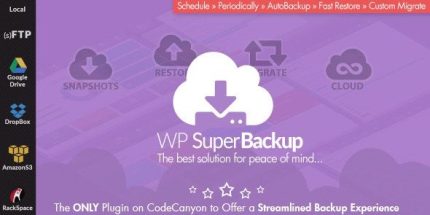
Super Backup & Clone 2.4 – Migrate for WordPress

Super Backup & Clone offers a reliable WordPress backup solution with an intuitive dashboard, one-click restore, and flexible cloud destinations. Protect your site from failures, automate scheduled backups, and easily migrate between MultiSite and SingleSite with fast, worry-free restores.
Description
Super Backup & Clone is a WordPress backup plugin built to protect your site against misconfigurations, plugin/theme mistakes, and server failures. It creates snapshot-based backups you can manage from an intuitive dashboard, with automated schedules that keep your data current. When you need recovery, the plugin supports one-click restore from snapshots so you can get back to a working WordPress state quickly.
It’s also designed for flexible storage and migrations. You can send backups to cloud destinations (like Google Drive, Dropbox, OneDrive, and more), sync selected files between staging and production, and migrate snapshots across WordPress MultiSite and SingleSite setups with controlled file selection.
Main Features
- Intuitive backup dashboard — View existing backup instances and their overall status in a central WordPress interface.
- Snapshot-based backups — Create one or multiple snapshot instances to capture your site at specific points in time.
- Scheduled automation — Automate backup creation on a schedule you define.
- Snapshot logs — Track backup tasks and confirm the latest snapshot results.
- One-click restore — Choose a snapshot and restore it with a single action to minimize downtime.
- Cloud destinations — Store backups using multiple cloud services, including Google Drive, Dropbox, OneDrive, and (S)FTP options.
- Cloud sync between servers — Sync staging and production backups, either fully or by selected files, automatically.
- Instance migration — Import an existing backup and migrate selected files into your current WordPress installation.
- MultiSite and SingleSite migration — Move snapshots between MultiSite-to-MultiSite, MultiSite-to-SingleSite, and SingleSite-to-MultiSite setups.
Benefits
- Faster recovery — One-click restore helps reduce downtime after errors or failed updates.
- Safer deployments — Scheduled snapshots and logs support safer release processes and quicker verification.
- Better resilience — Cloud destinations and cloud snapshots keep backups available even if the server fails.
- Streamlined migrations — MultiSite/SingeSite snapshot migration supports smoother site restructuring and transfers.
- More control — Selective sync and controlled file migration help you protect your WordPress setup during changes.
Who is it suitable for?
- WooCommerce store owners managing frequent changes to products or themes
- Agencies maintaining multiple WordPress client websites and staging environments
- MultiSite network administrators handling site-level restores and migrations
- Bloggers and content publishers who need reliable rollback options
- Developers running theme/plugin updates across production and staging servers