Stylish Links Pro 1.2
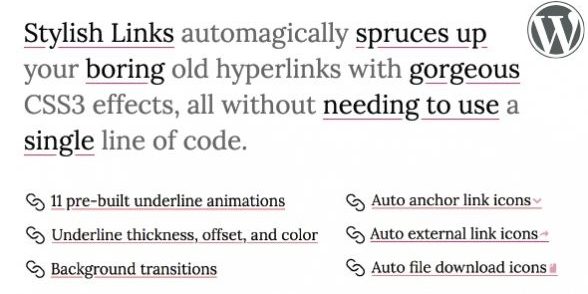
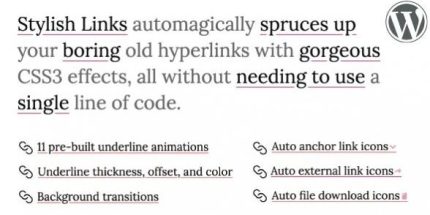
Stylish Links Pro transforms every hyperlink on your site with CSS3 underline animations and customizable colors, delivering a modern, brand-consistent look. The main benefit is effortless, consistent link styling without coding, boosting readability and engagement. Plus, full control over underline offset, thickness, and hover states—Type: WordPress plugin—seamless integration for a polished, user-friendly site.
Description
Stylish Links Pro is a WordPress plugin that automatically applies a modern, consistent style to every hyperlink on your site. Instead of manually adjusting link CSS, it updates existing links with CSS3 underline animations and coordinated colors. This helps solve common styling issues where links look mismatched across pages, themes, or template sections. The result is a clearer reading experience and more engaging interactions for visitors navigating your content.
With granular controls for underline and text behavior, you can fine-tune how links appear in normal and hover states—without writing code. It’s designed to work with your current theme styling, so your site keeps a unified brand look while improving link visibility and UX.
Main Features
- Automatic link styling — Applies effects to existing hyperlinks across your WordPress pages and posts.
- CSS3 underline animations — Adds smooth underline motion to make links feel more interactive.
- Underline color control — Sets underline colors for normal and hover states separately.
- Text color customization — Adjusts link text colors in normal and hover states.
- Background color options — Enables background color styling for normal and hover states.
- Underline offset settings — Controls the spacing between the underline and the link text.
- Underline thickness control — Fine-tunes line weight for better visual hierarchy.
- Hover state configuration — Lets you define how links change when users interact.
Benefits
- Consistent styling — Keeps link appearance uniform across templates and content types.
- Improved readability — Enhances link visibility so users can scan and navigate more easily.
- Better engagement — Underline animations and hover states encourage interaction with key content links.
- Enhanced UX — Separating normal and hover colors helps provide clearer feedback.
- Less manual work — Avoids custom CSS edits for every page or theme change.
Who is it suitable for?
- WordPress bloggers who want links to match a consistent visual style.
- Marketing and landing page sites that rely on clear calls-to-action.
- Portfolio and creative websites featuring many contextual links.
- Business sites using multiple page templates and content layouts.
- WooCommerce stores that need consistent hyperlink styling across site navigation.
- Agencies managing client websites with different themes and content.