Struninn Twitch Schedule Elementor Widget 1.0.0
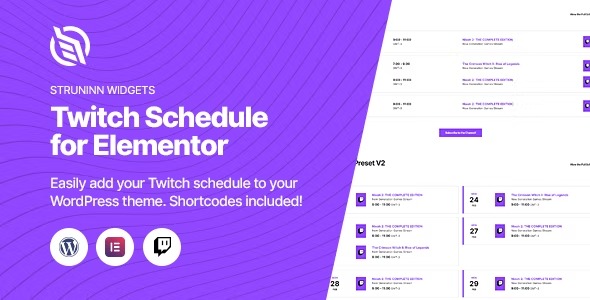
Struninn Twitch Schedule Elementor Widget makes it easy to display your Twitch channel schedule on your WordPress site, using templates, shortcodes, or an Elementor widget. The main benefit is keeping fans updated with your streaming times in a clean, integrated design. Additional win: seamless integration and flexible display options—perfect for boosting engagement.
Description
Struninn Twitch Schedule Elementor Widget is a WordPress plugin that helps you display your Twitch channel schedule directly on your site. Instead of sending fans to an external page, it keeps stream times visible in a clean, integrated layout. The plugin works with Elementor, so you can place the schedule where it fits your design without rebuilding sections manually.
You can also embed the schedule using WordPress shortcodes or template functions, depending on your workflow. This flexibility makes it easy to create consistent Twitch-related pages, landing sections, or widgets across your WordPress theme and templates.
Main Features
- Elementor widget for schedules — Add your Twitch schedule to any Elementor layout using an Elementor widget (Elementor plugin required).
- WordPress shortcode support — Insert the Twitch schedule using WordPress shortcodes wherever shortcodes are enabled.
- Template functions option — Developers can render the schedule using template functions in theme templates (developer knowledge required).
- Template-driven display — Use the plugin’s template functions approach to match your existing theme structure and design patterns.
- Clean schedule presentation — Present streaming times in a streamlined format that fits common page layouts.
- Flexible placement — Display the schedule across posts, pages, and Elementor sections without duplicating code.
- Engagement-focused layout — Make stream timing easy to find so viewers know when you go live.
Benefits
- Better fan visibility — Fans can quickly find your next streams on your WordPress site.
- Improved on-site UX — A single, consistent design reduces the need to navigate away.
- Higher engagement — Clear scheduling helps viewers plan and return more confidently.
- Faster page building — Use the Elementor widget to add the schedule directly into layouts.
- Workflow flexibility — Choose between Elementor, shortcodes, or template functions based on your setup.
Who is it suitable for?
- Twitch streamers who run a WordPress site and want an embedded schedule
- Creators using Elementor to build streamer-friendly pages and sections
- WordPress agencies creating websites that include social and streaming integrations
- Community sites that want events and streaming times visible to returning visitors
- Fansites that prefer schedule updates without leaving the website