Struninn Pricing Table 1.0.0 – UI Cards for Elementor
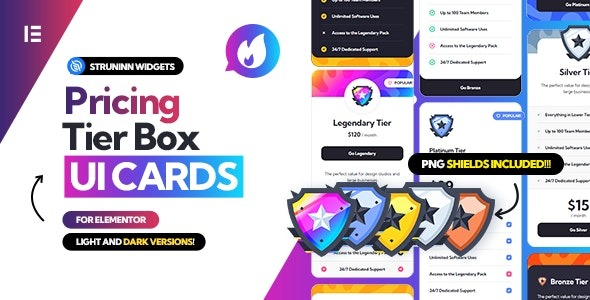
Struninn Pricing Table is a WordPress pricing table widget that makes setup in Elementor effortless—drag, customize, and go. Showcasing clear pricing with responsive, conversion-friendly blocks and flexible templates via shortcodes for posts and pages. Choose it for easy integration, polished design, and quick wins in user experience.
Description
Struninn Pricing Table is a WordPress pricing table plugin designed to make building clear, responsive price sections fast in Elementor. Instead of writing custom layout code, you can add the widget to your Elementor page and drag to position pricing blocks exactly where you need them. It helps solve the common challenge of creating consistent pricing displays that work across devices and don’t slow down your publishing workflow.
Use the provided templates with shortcodes to show pricing tables in WordPress posts and pages, while Elementor widget integration keeps your design process visual. With template functions to retrieve and modify widget HTML output, you can fine-tune how pricing tables render to match your theme and site structure.
Main Features
- Elementor widget integration — Insert the pricing table directly as an Elementor widget on your pages.
- Drag-and-customize editing — Update pricing table layout visually inside the Elementor editor.
- Responsive pricing layout — Ensure pricing blocks display properly across different screen sizes.
- Pricing-focused templates — Choose flexible templates designed for clear plan presentation.
- WordPress shortcodes — Display the pricing table on posts and pages using shortcodes.
- Widget template functions — Use template functions to get widget HTML output for each template.
- Output customization via arguments — Modify the template output using function arguments without rebuilding markup.
- Conversion-friendly structure — Present plans in organized, easy-to-scan blocks to support better user decisions.
Benefits
- Faster page creation — Drag-and-drop Elementor editing reduces time spent on manual layout work.
- Better UX on mobile — Responsive pricing tables improve readability for visitors on phones and tablets.
- Consistent design — Template-based layouts help keep pricing sections uniform across pages.
- More placement options — Shortcodes let you reuse the same pricing widget in WordPress posts and pages.
- Greater flexibility — Template functions allow controlled HTML customization to match your theme’s structure.
Who is it suitable for?
- WooCommerce stores and product sites needing clear plan/pricing blocks.
- WordPress businesses creating landing pages with Elementor.
- Freelancers and agencies building reusable template kits for clients.
- Content publishers or blogs that want consistent pricing sections on articles and pages.
- Online services teams documenting offerings with organized plan tiers.
- Web designers who prefer widget-based layouts with shortcode placement.