StockUpp 1.0.5 – Split Order For WooCommerce

Description
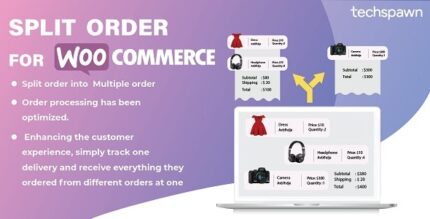
StockUpp is a WooCommerce plugin designed to automatically split a single cart order into multiple orders. It applies split rules based on product category, real-time product availability, and the location connected to the products in your cart. This helps prevent mismatches between what customers order and what your warehouse or suppliers can fulfill. By separating items into the right orders early in the checkout flow, it simplifies fulfillment workflows. The result is more reliable stock handling and smoother shipping operations for WooCommerce stores built with WordPress.
Instead of manually adjusting orders after checkout, StockUpp handles the split logic so your team can process fewer exceptions. If you use an Elementor-built storefront or custom WooCommerce templates, the plugin focuses on order splitting while fitting into your existing setup.
Main Features
- Category-based splitting — Split cart items into separate orders using product categories as conditions.
- Availability-aware logic — Automatically considers product availability when deciding how to split.
- Location-based rules — Uses product location information to route items into appropriate orders.
- Automatic split on order creation — Turns one checkout order into multiple orders without manual intervention.
- Flexible rule configuration — Configure conditions to match how your catalog is fulfilled.
- Stock-focused order handling — Helps keep order fulfillment aligned with available inventory.
- Seamless WooCommerce integration — Built specifically for WooCommerce workflows from cart through fulfillment.
- Works with existing store flows — Integrates into your current checkout and order management process.
Benefits
- Fewer backorders — Split unavailable items into separate orders to reduce delays caused by stock constraints.
- Faster shipping — Ship in-stock products sooner by separating orders during checkout.
- More accurate fulfillment — Align items with the right availability and location for cleaner processing.
- Better customer experience — Improve expectations with clearer, more actionable order breakdowns.
- Smoother operations — Reduce manual order splitting and exceptions for fulfillment teams.
- Easy setup — Configure rules to match your store’s structure without rebuilding your WooCommerce setup.
Who is it suitable for?
- WooCommerce stores with multiple fulfillment locations (warehouses, regions, or suppliers).
- Shops that carry mixed inventory where some items may be unavailable at checkout.
- Brands selling by category with different shipping or sourcing rules per category.
- E-commerce agencies managing WordPress + WooCommerce client storefronts.
- Merchants using customized checkout experiences and WooCommerce template setups.
- Operations teams seeking to streamline order management and reduce manual adjustments.