Spectra Blocks 0.0.8
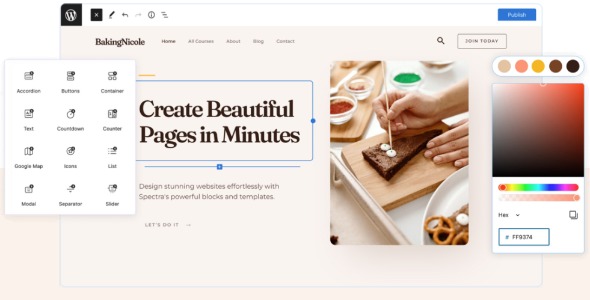
Spectra Blocks is a WordPress Gutenberg blocks plugin that expands the block editor with ready-to-use content sections. Create landing pages and posts faster, maintain responsive layouts, and customize typography, spacing, and colors to match your brand. Ideal for theme authors and site owners who want cleaner design workflows.
Description
Spectra Blocks is a WordPress block library designed for the Block Editor (Gutenberg). It helps you build page sections faster by providing ready-to-use blocks you can insert directly into your content. Instead of starting from scratch, you can assemble layouts and then fine-tune the styling to match your brand. This is useful when you want clean, responsive pages without relying on heavy customization.
For users working with modern WordPress themes and template kits, Spectra Blocks streamlines how you create consistent sections across multiple pages. It’s a practical plugin addition for teams and creators who need efficient design workflows while staying inside the WordPress editor.
Main Features
- Pre-built block library — Quickly add common page sections to your layouts.
- Gutenberg editor compatibility — Works inside the WordPress block editor workflow.
- Flexible layout options — Use block configurations to create different section structures.
- Styling controls per block — Adjust colors, typography, spacing, and backgrounds without code.
- Responsive-ready design — Configure how content displays across devices for better UX.
- Reusable section creation — Maintain consistent design patterns across pages.
- Editor-friendly editing — Customize directly where the content appears, reducing iteration time.
- Theme-aligned output — Designed to fit smoothly with typical WordPress themes and layouts.
Benefits
- Faster page building — Assemble complete sections quickly instead of designing everything manually.
- More consistent branding — Keep typography, spacing, and section styling uniform across your site.
- Better user experience — Responsive layouts help your pages remain readable and usable on all screens.
- Cleaner content structure — Supports organized, section-based layouts that improve readability.
- Less technical dependency — Achieve polished results using editor controls rather than custom development.
Who is it suitable for?
- WordPress bloggers and content creators
- Marketing teams building landing pages in Gutenberg
- Web agencies creating consistent layouts for clients
- WooCommerce store owners improving storefront and campaign pages
- Small businesses using modern WordPress themes and templates
- Online course and membership site builders