Specta 2.7 – Multipurpose Portfolio WordPress Theme
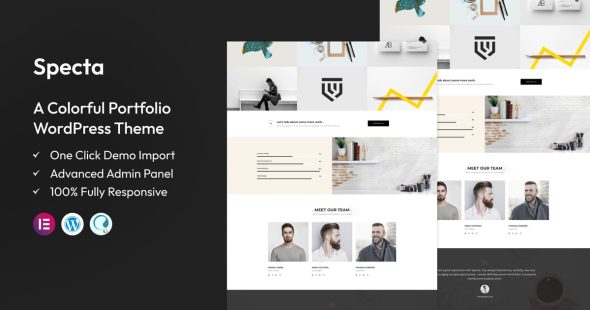
Specta is a multipurpose portfolio WordPress theme designed to help freelancers, agencies, and creatives present work with a clean, modern layout. It supports flexible page building for showcasing projects, services, and case studies, while an SEO-ready structure helps search engines index your content more effectively. Great for launching a polished online portfolio quickly.
Description
Specta is a multipurpose portfolio WordPress theme built to help creatives and businesses present their work in a polished, modern layout. It solves the common problem of having a portfolio that looks unstructured or outdated by providing organized page templates and flexible sections for showcasing projects.
With WordPress-focused customization options, you can update styling, content, and page structure to match your brand. Whether you’re launching a new site or refreshing an existing one, Specta helps you build a cohesive portfolio experience that’s easy to manage and quick to publish.
Main Features
- Multipurpose portfolio layouts — Pre-designed structures for showcasing projects and services across different niches.
- Project showcase sections — Content areas designed to highlight work, details, and key highlights.
- Template-based page building — Ready-made page patterns to help you create consistent pages faster.
- Custom typography and styling options — Adjust fonts, colors, and visual appearance to align with your brand identity.
- Responsive design — Optimized layouts that adapt cleanly to phones, tablets, and desktops.
- Blog and content-friendly structure — Supports publishing updates, articles, and portfolio-related content.
- Gallery and media presentation — Visual sections that help your projects look clear and engaging.
- Call-to-action ready sections — Includes spaces for contact prompts, featured offerings, and conversion paths.
- Search-engine friendly markup — Clean WordPress theme structure designed to support SEO best practices.
Benefits
- Stronger portfolio clarity — Organized project layouts make it easier for visitors to understand your work.
- Better first impressions — Modern styling and responsive design improve overall user experience.
- Faster page creation — Template-based sections reduce the time needed to assemble consistent pages.
- More engagement — Media-focused presentation helps visitors spend longer exploring projects.
- SEO improvements — Clean theme structure supports crawlability and content discoverability.
Who is it suitable for?
- Freelancers building a personal portfolio
- Designers, photographers, and creative studios
- Agencies showcasing multiple services and projects
- Businesses refreshing their WordPress website
- Product and content-driven professionals needing a structured portfolio
- Teams launching a new marketing or showcase presence