Smart Post Layout for Elementor (Postify Pro) 1.0.1
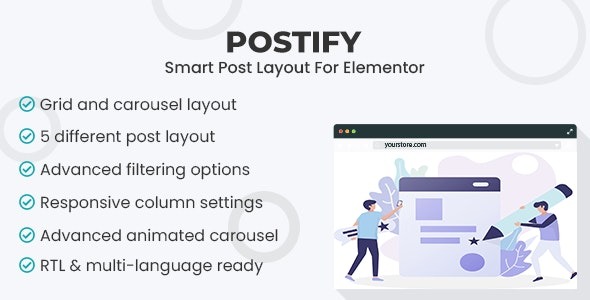
Smart Post Layout for Elementor (Postify Pro) is a WordPress plugin that lets you showcase your blog posts with elegant Carousel and Grid layouts across themes, seamlessly integrated with Elementor for a code-free design. The main benefit is faster load times and higher post views with a polished, conversion-friendly display. Explore it and elevate your blog visuals today.
Description
Smart Post Layout for Elementor (Postify Pro) is a WordPress plugin that helps you display blog posts in polished Carousel and Grid layouts. Built for Elementor users, it lets you design appealing post sections without coding, so your content is easier to browse and more engaging.
Instead of relying on default post listings, this plugin organizes your posts with theme-ready styling and performance-focused output. It’s optimized to support faster load times and a smoother page experience, which can help increase post views and improve conversion by presenting your articles more attractively.
Main Features
- Carousel post layout — Present posts in a scrollable carousel format for compact, interactive browsing.
- Grid post layout — Use a structured grid to showcase multiple posts with clear visual hierarchy.
- Elementor integration — Create and place post sections within Elementor workflows with a code-free setup.
- Multiple theme styles — Choose from five distinct theme options to match your site’s design direction.
- Shortcode-inspired design — Based on the same concept as the “Smart Post Layout for WordPress” shortcode version.
- Performance optimization — Built to keep rendering efficient for quicker page loading.
- Conversion-friendly display — Focuses on readability and attractive presentation to support stronger engagement.
- Reusable blog sections — Build consistent post displays you can repeat across pages or templates.
Benefits
- Faster load times — Performance-focused rendering helps pages feel quicker for visitors.
- More post views — Carousel and grid formats make discovering articles more intuitive.
- Better UX — Clear layout options improve scanning and reduce friction while browsing posts.
- Stronger engagement — Polished visuals encourage users to click through and read more.
- Improved conversions — More accessible, attractive content presentation can boost desired actions.
Who is it suitable for?
- WordPress blog owners using Elementor to design custom post sections.
- Content creators who want cleaner, more engaging post displays.
- Agencies building Elementor-based websites for multiple clients.
- Theme users who want layout flexibility beyond default archives.
- Website teams maintaining high-traffic blogs that benefit from performance.