Smart Photo Gallery 1.4.3 – Responsive WordPress Plugin
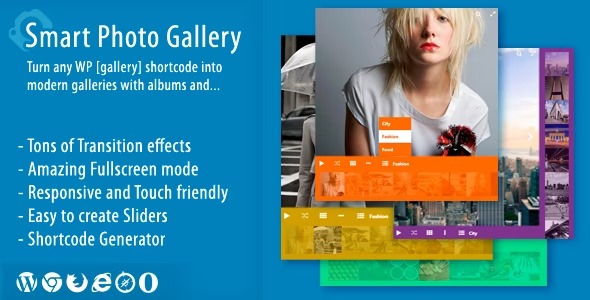
Smart Photo Gallery turns the native WordPress [gallery] into immersive albums with fullscreen viewing and 3D transition effects, delivering a polished Wordpress experience. It boosts user engagement by making galleries easy to navigate, responsive, and beautifully designed. A smart choice for showcasing photos with style—explore the plugin today.
Description
Smart Photo Gallery enhances the native WordPress [gallery] shortcode by transforming it into immersive photo albums. Instead of a basic grid, it delivers a fullscreen viewing experience with smooth 3D transition effects between images. This helps solve the common “flat gallery” problem—users struggle to engage with photos when navigation feels limited.
Built for WordPress sites, the plugin works alongside popular page-building workflows such as Elementor and modern theme templates to keep your gallery presentation clean and consistent. Whether you’re showcasing a portfolio, product photos, or event moments, it improves how visitors browse visual content without disrupting your existing setup.
Main Features
- Album-based gallery layout — Turns standard WordPress galleries into organized albums for clearer browsing.
- Fullscreen viewing mode — Lets visitors expand photos to focus on imagery and reduce on-page distractions.
- 3D transition effects — Adds visually engaging motion between images to elevate the viewing experience.
- Native [gallery] support — Enhances galleries created with WordPress’ built-in shortcode.
- Responsive presentation — Keeps the gallery experience usable and readable across phones, tablets, and desktops.
- Improved navigation flow — Album structure and viewing controls make it easier to move through sets of photos.
- Designed for polished visuals — Delivers a more refined, gallery-style presentation than the default layout.
Benefits
- More engagement — Immersive fullscreen viewing encourages visitors to spend more time exploring photos.
- Better user experience — Album structure and clearer navigation reduce friction when browsing multiple images.
- Visually stronger presentation — 3D transitions create a more memorable gallery experience.
- Mobile-friendly browsing — Responsive behavior helps maintain usability on smaller screens.
- Seamless workflow — Using the existing [gallery] approach keeps implementation straightforward in WordPress.
Who is it suitable for?
- Portfolio sites and photographers showcasing project collections
- Blogs and editorial sites that publish image-heavy posts
- Small businesses using WordPress to present galleries for services or locations
- WooCommerce stores that want enhanced photo displays for product collections
- Agencies building client websites with Elementor and theme templates