Smart Content Protector 8.4 – Pro WP Copy Protection

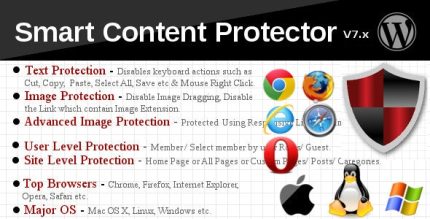
Smart Content Protector is a WordPress plugin that shields your text and images, keeping content safe from copying. It delivers stronger protection with a seamless setup, preserving user experience and site performance. A clear, user-friendly solution—ideal for creators who want easy, reliable content security.
Description
Smart Content Protector is a WordPress plugin designed to shield your site’s text and images, helping reduce unauthorized copying and reuse of your original content. If you publish tutorials, guides, or visual assets, it provides a clear layer of protection without forcing a complicated workflow. It focuses on a seamless setup so you can enable content safeguarding quickly and keep visitors focused on your pages.
With an emphasis on user experience and site performance, Smart Content Protector aims to protect your materials while maintaining smooth browsing. The result is a practical, creator-friendly security option for WordPress sites that want easier, more reliable content protection.
Main Features
- Text protection — Helps safeguard written content across your WordPress pages.
- Image protection — Adds protection to images embedded in posts and pages.
- Content shielding — Works to make copying and reuse of protected assets less straightforward.
- Seamless setup — Enables protection with a user-friendly configuration process.
- User experience focused — Protects content while aiming to keep the front-end experience intact.
- Site performance mindful — Designed to preserve speed and usability during normal browsing.
- Works with your existing site — Integrates into your WordPress setup without requiring a redesign.
- Creator-oriented approach — Built for authors and publishers who need simple, dependable content security.
Benefits
- Reduced copying — Helps limit straightforward extraction of text and images from your pages.
- Better content control — Strengthens protection of your original materials directly where they appear.
- Smoother UX — Maintains a clean browsing experience so visitors can read and view content comfortably.
- Improved site experience — Helps preserve performance, supporting faster load times and stable navigation.
- Lower management effort — Simple setup reduces the need for complex security handling.
Who is it suitable for?
- WordPress bloggers and content writers
- Digital creators publishing tutorials, guides, or documentation
- Sites with high-value image galleries and media assets
- Freelancers and agencies running client WordPress sites
- Online publishers focused on originality and brand consistency