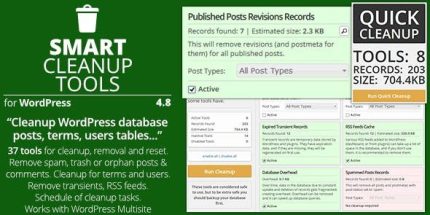
Smart Cleanup Tools 5.3 – Plugin for WordPress

Smart Cleanup Tools is a WordPress plugin that safely removes obsolete data, freeing up database space and accelerating queries. It offers 37 cleanup tools, including orphaned records and expired transients, with a one-click quick cleanup and multisite support for Network admin tasks. Perfect for maintaining peak performance with easy, targeted removals.
Description
Smart Cleanup Tools is a WordPress plugin that helps you safely remove obsolete and unused database data, reducing bloat and supporting faster database queries. It targets common leftovers such as orphaned records, expired transients, cached metadata, and stale revisions that accumulate after months of normal site activity.
Whether you manage a standard WordPress install or a WordPress multisite network, the plugin provides a structured way to perform targeted cleanup, including Network admin tasks. With WordPress, WooCommerce, and modern page builders like Elementor in mind, it focuses on backend database optimization without changing your content.
Main Features
- 37 cleanup tools — Removes a wide range of obsolete data types across the WordPress database.
- One-click quick cleanup — Runs the quick cleanup workflow using all available cleanup tools.
- Cleanup overview and estimates — Shows active tools, found records, and estimated size recovery before cleanup.
- Detailed tool list — Lets you open the cleanup panel to review every available cleanup tool and its impact.
- Tool-by-tool control — Enables you to disable specific tools from the plugin settings when you want targeted removal.
- WooCommerce data cleanup — Removes WooCommerce sessions stored in the options table.
- Transient and cache cleanup — Removes expired transients and removes RSS feed cache and related stored data.
- Orphaned records cleanup — Handles orphaned terms, relationships, postmeta, comment meta, and revisions.
- Multisite support — Applies relevant cleanup tasks in multisite mode, including tools designed for Network administration.
Benefits
- Faster queries — Less database clutter helps reduce overhead during normal WordPress operations.
- More efficient databases — Recovering space and removing outdated rows can improve overall database responsiveness.
- Better data hygiene — Removing orphaned posts, comments, and meta reduces long-term accumulation of unused records.
- Safer cleanup workflow — Estimates and a full tool list support more confident, targeted actions.
- Multisite readiness — Network admin tools help keep large installations organized across multiple sites.
Who is it suitable for?
- WordPress site owners who want periodic database cleanup
- WooCommerce stores with recurring session and options-table growth
- WordPress multisite network administrators managing multiple subsites
- Website agencies maintaining many client sites and installs
- Developers who need reliable removal of orphaned data after site updates
- Content-heavy blogs that generate frequent revisions, drafts, and transient activity