Smart Admin Assistant Pro 2.4.1
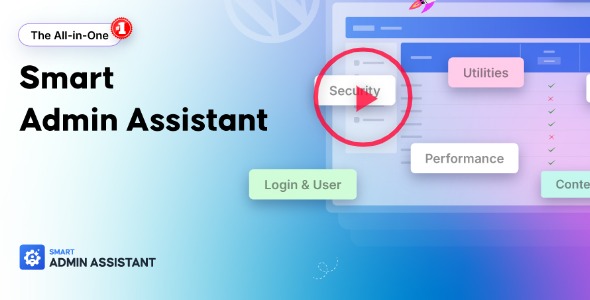
Smart Admin Assistant Pro unlocks a streamlined WordPress workflow with customizable modules for content management, UI tweaks, login security, and performance optimization. It delivers faster admin tasks, cleaner menus, and safer logins as your main benefit. Plus, its design and easy integration make it the go-to choice for a sharper, more efficient dashboard.
Description
Smart Admin Assistant Pro is an all-in-one WordPress admin enhancement tool that streamlines everyday dashboard work through customizable modules. It helps you manage content more efficiently, refine the admin UI, strengthen login & security routines, and apply performance-oriented improvements. With cleaner menus, less visual clutter, and quicker admin actions, you can spend less time navigating and more time publishing and updating your site. The result is a more organized, safer, and faster WordPress workflow for site operators and teams.
Built by BdThemes, this plugin focuses on practical admin controls—so you can tailor the backend to your preferences without disrupting your live visitors.
Main Features
- Customizable admin modules — Enable or disable features based on your workflow needs.
- Post duplication tools — Reuse existing posts to speed up content creation and updates.
- Post ordering support — Improve how content is arranged for easier review and management.
- Notice hiding options — Reduce dashboard noise by hiding selected admin notices.
- Menu customization — Adjust admin menus for a cleaner, more task-focused navigation.
- Admin item renaming — Change labels in the dashboard to match your site’s terminology.
- Login & security utilities — Add admin-focused protections to help secure access.
- Performance optimization utilities — Apply backend improvements designed to keep the admin experience responsive.
Benefits
- Faster admin tasks — Content duplication and ordering reduce repetitive steps.
- Better UX in the dashboard — Hiding notices and customizing menus create a calmer, clearer interface.
- Safer logins — Security-focused tools help strengthen access control for administrators and editors.
- Cleaner content management — Improved organization makes it easier to find, review, and update posts.
- More responsive admin performance — Performance utilities support quicker backend interactions.
Who is it suitable for?
- WooCommerce store managers who need a cleaner, faster WordPress admin
- Bloggers and content teams handling frequent updates
- Agencies managing multiple WordPress sites and admin workflows
- Website owners who want a more organized dashboard experience
- Developers customizing admin UX without changing the front-end theme
- Online course or community platforms maintaining ongoing content publishing