Signature Field for Contact Form 1.5.0
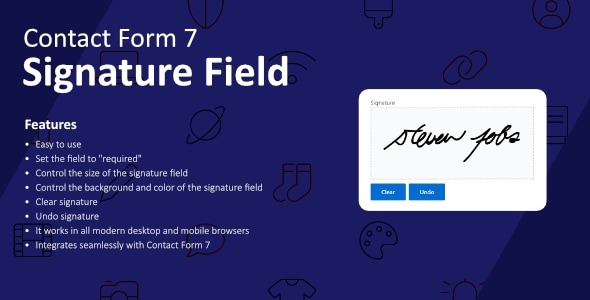
Signature Field for Contact Form adds a digital signature field to your forms, enabling users to sign electronically. As a WordPress plugin, it streamlines consent and approvals, boosting trust and compliance while keeping your workflow simple. Quick setup, seamless integration, and a polished user experience—explore it today.
Description
Signature Field for Contact Form is a WordPress plugin that adds a digital signature field to your contact forms. It enables visitors to sign electronically before submitting, turning routine form submissions into signed, auditable requests. This helps you streamline consent and approval workflows without moving users away from your site.
With a simple setup inside WordPress, the plugin focuses on a clear, polished signing experience. When users complete your form, their signature becomes part of the submitted response, supporting more reliable follow-ups and clearer documentation.
Main Features
- Digital signature field — Inserts a signature area into your contact forms for electronic signing.
- Electronic sign-off — Lets visitors provide signatures directly during form submission.
- Works with contact form workflows — Designed specifically for contact forms on WordPress sites.
- Collects signed submissions — Includes the signature as part of the submitted form data.
- Quick setup in WordPress — Enables you to configure the signature field without complex steps.
- Consistent on-site experience — Keeps the signing action within the same form interface users already use.
- Supports approvals and consent capture — Helps document that a user reviewed and agreed at submission time.
Benefits
- Higher trust — Signed submissions make interactions feel more official and accountable.
- Improved compliance readiness — Easier consent and approval capture can support better process documentation.
- Faster review cycles — Reduces back-and-forth compared to manual signature collection.
- Better user experience — Users can sign right on the form without extra tools or steps.
- Simpler workflows — Streamlines how you collect approvals for requests submitted through WordPress.
Who is it suitable for?
- Businesses using WordPress contact forms for approvals or consent
- Agencies managing client websites with signed intake forms
- Nonprofits collecting signed statements or confirmations via web forms
- Freelancers and consultants who need signed acknowledgements
- HR, training, or onboarding teams collecting signed form submissions
- Any WordPress site owner aiming to improve documentation from form submissions