Sidu – Real Estate & Furniture Elementor Template Kit
| Cetegory: | Real Estate & Construction |
|---|---|
| Full Preview: | Sidu |
| More Info: | Themeforest |
| HOW TO INSTALL |
Description
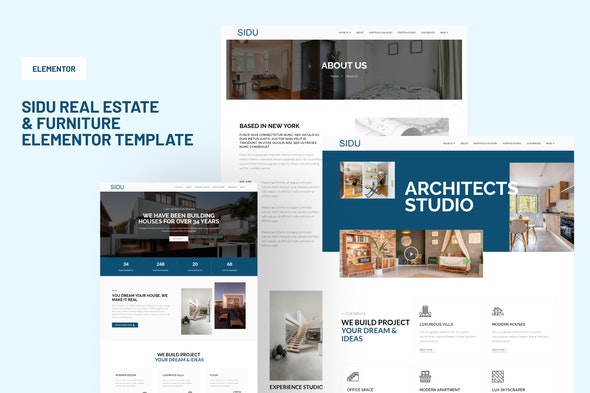
Sidu Real Estate Elementor Template Kit created especially for Real Estate, Interior Designer, Architecture and Furniture website. Sidu has a simple, modern and clean design with 100% responsive layout, and very easy to customize and can be used by anyone without having to understand coding.
Main Features:
- Click Installation
- Global Theme Styles included
- 10+ Elementor Templates
- Pixel Perfect Design
- 100% Fluid Responsive
- Easy to Use and Customize
- All major browsers supported Chrome, Firefox, Safari, Edge, Opera
Kit Includes:
- Home 1
- Home 2
- Service
- Detail Service
- Portfolio Grid
- Portfolio Single 1
- Portfolio Single 2
- About Us
- 404
- Contact Us
- Header and Footer
Required Plugins:
- Elementor Free Version
- Essential Addons
- Jeg Elementor Kit
Optional You may install Elementor Header & Footer Builder for setup of site-wide header and footer
How to Install:
- Install and Activate the Envato Elements plugin from Plugins > Add New in WordPress
- Do not unzip
- Go to Elements > Installed Kits and click the Upload Template Kit button.
- Before importing a template, ensure the Install Requirements button is clicked to activate required plugins
- For best results, do not import more than one template at a time.
- Go to Pages and create a new page and click Edit with Elementor
- Click the gear icon at lower-left of the builder to view page settings and choose Elementor Full Width and hide page title
- Click the gray folder icon to access My Templates tab and then Import the page youd like to customize
This Template Kit uses demo images from Envato Elements. You will need to license these images from Envato Elements to use them on your website, or you can substitute them with your own.
- https://elements.envato.com/image-P5C7GLE
- https://elements.envato.com/image-8PLBRCD
- https://elements.envato.com/image-P35AH2Q
- https://elements.envato.com/architecture-outline-icon-3FLXF8V
- https://elements.envato.com/image-A43E4CP
- https://elements.envato.com/image-E3A7NAJ
- https://elements.envato.com/image-PEXSJH6
- https://elements.envato.com/image-PZ2NXEX
- https://elements.envato.com/image-XYM7RW7
- https://elements.envato.com/image-ERUUVWR
- https://elements.envato.com/image-C8VH66F
- https://elements.envato.com/image-P89HER8
- https://elements.envato.com/image-DCAMNS9
- https://elements.envato.com/image-6QR48TY
- https://elements.envato.com/image-XZVD4BP
- https://elements.envato.com/image-PXTNS3Y
- https://elements.envato.com/image-VEVEWNH
- https://elements.envato.com/image-QRNSL5Y
- https://elements.envato.com/image-HBVNSUE
- https://elements.envato.com/image-H27FA57
- https://elements.envato.com/image-84ZFL67
- https://elements.envato.com/image-9ZU2STD
- https://elements.envato.com/image-HVUTP2K
- https://elements.envato.com/image-NSQN4GE
- https://elements.envato.com/image-PUHPY3X
- https://elements.envato.com/image-QY2C3W8
- https://elements.envato.com/image-LW9BCHU
- https://elements.envato.com/image-PJ3W3NQ
- https://elements.envato.com/image-WFJ72SL