Sharinger 1.0.3 – Share Buttons for Elementor
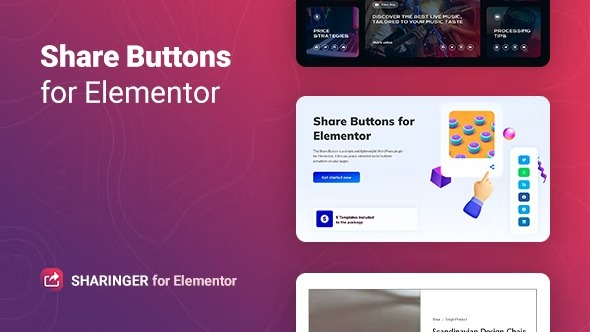
Sharinger is a lightweight plugin for Elementor for WordPress that adds unlimited share buttons anywhere on your pages. It helps you boost reach by enabling readers to share posts across major networks like Facebook, Twitter, LinkedIn and more, driving traffic with a simple, fast integration. Lightweight, easy to customize and ideal for maximizing exposure on WordPress.
Description
Sharinger is a lightweight WordPress plugin built for Elementor that makes it easy to add unlimited social share buttons anywhere on your pages. It helps solve a common content-marketing problem: readers may discover your posts, but without clear sharing options, your reach stays limited.
With Sharinger, you can integrate share buttons into posts, landing pages, and templates in minutes, using Elementor-friendly placement. The plugin supports major networks such as Facebook, Twitter, LinkedIn, Reddit, Telegram, WhatsApp, Email, and more—so visitors can share with one tap. As a result, your content has a better chance to earn additional visibility and bring in new traffic.
Main Features
- Unlimited share buttons — Add as many social buttons as you need across your Elementor layouts.
- Elementor-ready placement — Place share buttons directly within Elementor-created pages and sections.
- Support for popular networks — Share to platforms including Facebook, Twitter, LinkedIn, Reddit, Telegram, and WhatsApp.
- Additional sharing options — Includes Email and Print, plus networks like Tumblr, Digg, StumbleUpon, Pocket, and XING.
- Lightweight implementation — Keeps the share experience simple and fast without heavy bloat.
- Easy customization — Adjust the way share buttons appear to match your page design.
- Works for multiple content types — Use it to promote top posts, articles, and other page content.
Benefits
- More exposure — Encourages readers to distribute your content across social and messaging channels.
- Higher traffic potential — More shares can translate into more visits from new audiences.
- Improved content reach — Lets you highlight top posts with clear share options in the right spots.
- Better user experience — Reduces friction by providing one-tap sharing for multiple networks.
- SEO-friendly engagement signals — Increased distribution can support stronger visibility for your content over time.
Who is it suitable for?
- WooCommerce stores and product publishers using Elementor pages.
- Blogs and news sites that promote top articles and evergreen content.
- Digital agencies building landing pages with Elementor.
- Content creators who want easy sharing across multiple social platforms.
- Marketing teams managing WordPress sites with template kits and page builders.
- Online publications and directories sharing updates through social networks.