Responsive Timetable for WordPress 1.16.0
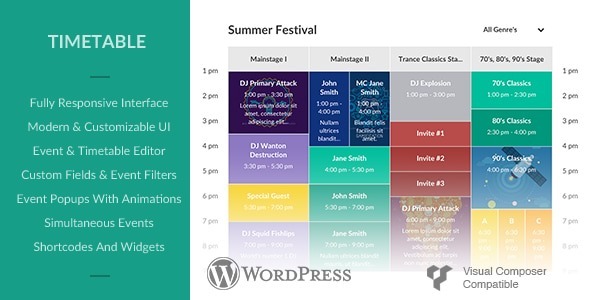
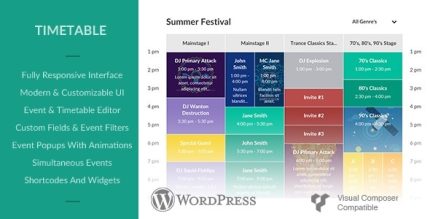
Responsive Timetable for Wordpress delivers effortless scheduling with a fully responsive, clean flat interface. As a WordPress timetable plugin, create timetables with events in 3 scales using a live backend editor, color events by column or timetable, and open custom links or animated popups for engaging, scalable event management.
Description
Responsive Timetable for WordPress is a WordPress timetable plugin designed to help you publish clear schedules that work on any screen size. It uses a clean, modern flat interface and supports fully responsive layouts so timetables look consistent on mobile, tablet, and desktop.
With a live backend editor, you can build timetables quickly by adding events at three different scales. The plugin also lets you visually organize events by coloring them per event, per column, or across an entire timetable.
To improve engagement and navigation, users can click events to open custom links or view a responsive event popup with a smooth animation—ideal for keeping schedule details easy to access in the context of your page built with WordPress.
Main Features
- Fully responsive timetable layout — Adapts the schedule display to different devices and screen sizes.
- Clean flat interface — Provides a straightforward, modern UI for creating and viewing timetables.
- Three event scales — Create timetables using events sized in three different scales.
- Live backend editor — Build and adjust schedules in the WordPress admin with real-time updates.
- Event color customization — Color events individually for clearer visual grouping.
- Column-based coloring — Apply colors per column to distinguish categories or time blocks.
- Timetable-wide coloring — Coordinate colors across the entire timetable for consistent styling.
- Custom link on event click — Open a user-defined URL when an event is selected.
- Responsive popup with animation — Show event details in an animated, device-friendly popup.
Benefits
- Better mobile UX — Responsive formatting makes schedules readable and scannable on smaller screens.
- Faster timetable creation — The live backend editor streamlines updates without guesswork.
- Improved clarity — Color controls help visitors quickly understand categories and timing.
- Higher engagement — Clickable events and popups guide users to relevant details in-context.
- More structured presentation — Three event scales support layouts that match your content density needs.
Who is it suitable for?
- WooCommerce store schedules for classes, workshops, or pickup windows
- Educational sites publishing course timetables and session calendars
- Agencies and freelancers building schedule-driven landing pages
- Event organizers managing multi-day programs and time slots
- Membership communities sharing recurring weekly activities
- Content creators posting responsive schedules for their audience