Ranking Tables 1.0.3 – Modal Survey Add-on

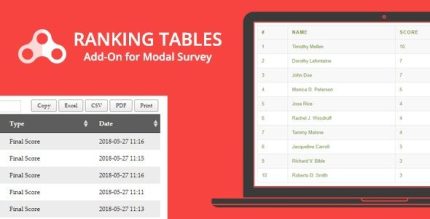
Ranking Tables is a WordPress plugin that lets you view, filter, and export a rank list from your score-based surveys and quizzes directly in the admin. Gain quick insights, enjoy easy integration with Modal Survey, and a clean design to help you compare results at a glance.
Description
Ranking Tables is a WordPress add-on for Modal Survey – WordPress Poll, Survey & Quiz Plugin that helps you analyze score-based surveys and quizzes with a clear ranking view. It lets you view a rank list in your WordPress admin, filter the results, and export the ranking for further review. Instead of scanning long form responses, you can compare outcomes at a glance and spot top performers or score patterns faster. The focus on clean admin presentation makes it easier to manage results directly inside your WordPress workflow, including when using Elementor-powered pages to display your surveys.
Main Features
- Admin rank list view — Displays a ranking table for your score-based surveys and quizzes inside the WordPress admin.
- Filtering controls — Lets you narrow down the ranking results to focus on the most relevant entries.
- Export ranked results — Enables exporting your rank list so you can review or share it outside WordPress.
- Works with score-based questions — Generates rankings from surveys and quizzes that produce scores.
- Modal Survey integration — Designed as an add-on that connects directly to the Modal Survey plugin workflow.
- Quick comparison layout — Organizes the ranking information in a clean format to compare results efficiently.
- Admin-first reporting — Keeps your analysis tools in the backend, supporting ongoing editorial review.
- Simple setup for existing surveys — Adds ranking output to surveys/quizzes you already manage with Modal Survey.
Benefits
- Faster insights — View top rankings and score distribution without manually sorting entries.
- Better result focus — Use filters to reduce noise and concentrate on specific groups or outcomes.
- More actionable data — Export rank lists for reporting, documentation, or deeper analysis.
- Improved admin UX — A clean ranking layout makes it easier to interpret results at a glance.
- Streamlined workflow — Keeps survey/quizzes review within WordPress and alongside Modal Survey management.
Who is it suitable for?
- WooCommerce brands running scoring quizzes as part of customer engagement campaigns.
- Content teams using Modal Survey to publish polls, quizzes, and score-based assessments.
- Agencies managing multiple WordPress projects that need consistent result reporting.
- Education and training sites collecting scored quiz outcomes.
- Marketing teams tracking performance and ranking behaviors from survey data.
- Site owners using Elementor layouts to present interactive surveys and quizzes.