
PublishPress Pro 4.7.2
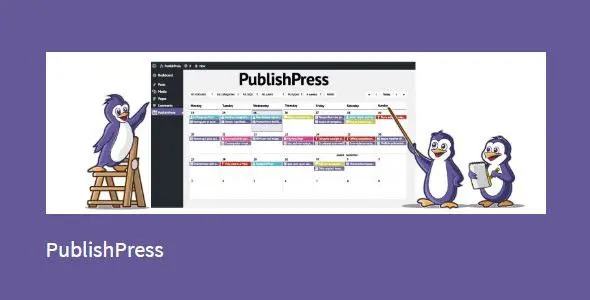
PublishPress Pro is a WordPress plugin that helps you plan and publish content with a powerful content calendar, timely notifications, and customizable statuses. It streamlines your editorial workflow, helping you stay on schedule and publish faster. A smooth integration and intuitive design offer easy management of ideas, drafts, and approvals.
Description
PublishPress Pro is a WordPress plugin built to help teams plan, track, and publish content without losing momentum. It centralizes your editorial workflow using a content calendar, so you can see what’s coming and what’s already in progress. With timely notifications and customizable statuses, you can coordinate reviews and approvals more clearly. The plugin’s intuitive design makes it easier to manage ideas, drafts, and editorial handoffs directly inside WordPress.
Instead of juggling dates and tasks across separate tools, PublishPress Pro keeps your publishing schedule organized and improves how your team collaborates from planning to publication.
Main Features
- Content calendar — View and plan posts in a centralized calendar layout.
- Editorial notifications — Receive timely alerts tied to updates and publishing progress.
- Customizable statuses — Use tailored status stages to match your review and approval workflow.
- Workflow streamlining — Keep content items organized from idea through draft and approval.
- Idea-to-publish tracking — Monitor where each post stands in your process.
- WordPress integration — Manage your publishing plan within the WordPress environment.
- Intuitive management — Work with editorial tasks using an interface designed for clarity.
Benefits
- On-schedule publishing — Calendar visibility helps teams keep track of deadlines and release dates.
- Fewer workflow gaps — Custom statuses clarify which items need action, review, or approval.
- Faster collaboration — Notifications reduce waiting time between editorial steps.
- Better user experience — Smoother internal coordination supports more consistent content delivery.
- Stronger editorial control — Centralized tracking improves consistency across drafts and approvals.
Who is it suitable for?
- Editorial teams managing multi-author WordPress content
- Marketing departments running regular blog or content campaigns
- Agencies coordinating approvals across multiple clients
- Small businesses that publish frequently and want clearer workflows
- Content creators maintaining an organized publishing schedule
- WooCommerce stores that publish content to support product and brand visibility
