
PublishPress: Slack 3.0.1
Description
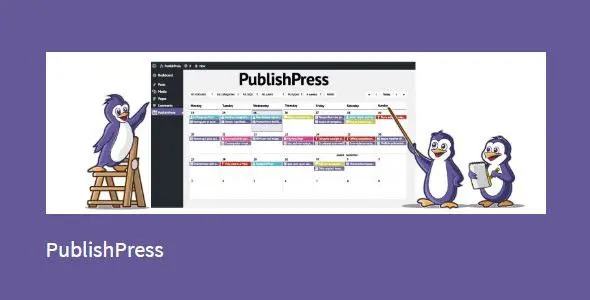
PublishPress Pro is a WordPress plugin that streamlines editorial planning with a visual PublishPress Calendar. It helps content teams see what’s planned and what’s already published, without losing track of dates. With calendar-based scheduling, you can create posts directly in the planning view and manage upcoming releases in one place. The drag-and-drop workflow makes it easier to adjust schedules as priorities change, improving coordination across your WordPress content process.
For sites built with modern WordPress themes and page builders like Elementor, it keeps the publishing workflow organized while your content is prepared for your existing front-end layout. The result is a clearer, more collaborative editorial rhythm focused on timely, high-quality publishing.
Main Features
- Visual editorial calendar — View planned and published items in a single calendar timeline.
- Date-based planning — Plan publish dates ahead to keep releases aligned with your workflow.
- Create content on the calendar — Start new posts directly from the calendar interface.
- Drag-and-drop scheduling — Move posts to new publication dates quickly.
- <strongClear publication visibility — Understand at a glance what’s scheduled versus what’s live.
- <strongSchedule-driven publishing — Support posting on a planned timeline to reduce last-minute changes.
- <strongEditorial workflow organization — Keep teams aligned by centralizing planning and publishing status.
- <strongCalendar integration with WordPress posts — Work directly with your WordPress content planning process.
Benefits
- Faster rescheduling — Drag-and-drop adjustments help you respond to changes without lengthy manual edits.
- Better team coordination — A shared calendar view improves collaboration and reduces miscommunication.
- More reliable publishing — Date-first planning supports consistent release timing for your content calendar.
- Improved content workflow — Creating and managing posts from one interface reduces context switching.
- Higher engagement potential — Timely publication helps deliver content when it’s most relevant to readers.
Who is it suitable for?
- Content teams managing multiple WordPress posts
- Editorial calendars for blogs and news sites
- Agencies coordinating client content schedules
- Businesses running recurring marketing content
- Teams using Elementor or custom themes to publish regularly
