Prisna WP Translate 1.15.28
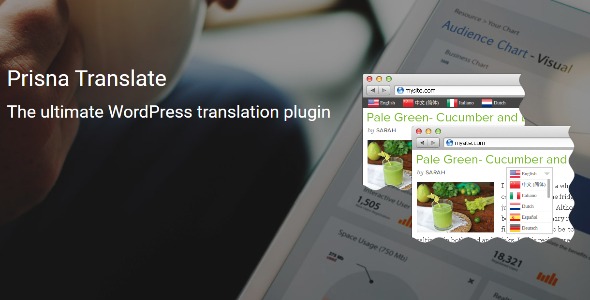
Prisna WP Translate lets you effortlessly translate your WordPress site across complex themes and builders, delivering fast, accurate multilingual content. Save time with quick, seamless integration and keep your design intact. A versatile all-in-one plugin designed for easy, scalable translations—perfect to reach a global audience.
Description
Prisna WP Translate is a WordPress translation plugin built to help you create multilingual versions of your website without losing layout control. It’s designed for sites where content is spread across complex themes and site builders, so translating pages and sections doesn’t mean rebuilding your design from scratch.
With fast, accurate multilingual output and a seamless integration approach, it supports scalable translation workflows as your content grows. If you manage a WooCommerce storefront or a content-heavy site, it helps you reach global audiences while keeping the visual structure consistent across languages.
Main Features
- Full WordPress translation control — Manage multilingual content across your site with a dedicated translation workflow.
- Compatibility with complex themes — Translate websites that use advanced theme layouts without forcing redesign.
- Works with site builders — Supports translation for content created through modern builder-driven page structures.
- Fast translation setup — Configure translations quickly to reduce turnaround time for multilingual launches.
- Preserves design structure — Keeps your existing formatting and layout intact while delivering translated content.
- All-in-one approach — Centralizes core translation needs in a single plugin so you don’t stitch multiple tools together.
- Scalable multilingual management — Helps you expand translations as new pages, posts, and sections are added.
Benefits
- Better global reach — Publish multilingual content that supports international visitors and audiences.
- Consistent UX — Maintain the same theme and builder presentation across languages for smoother navigation.
- Faster localization — Reduce time spent on manual rework when launching new language versions.
- Improved content quality — Aim for accurate translations so key messaging stays clear.
- More efficient workflow — Use one plugin to manage translation needs across a WordPress site.
Who is it suitable for?
- WooCommerce store owners translating product and marketing content
- WordPress bloggers and publishers managing multilingual posts and pages
- Agencies building sites with complex themes and site builders
- Website owners launching localized landing pages for new regions
- Teams scaling multilingual content as a catalog or library grows