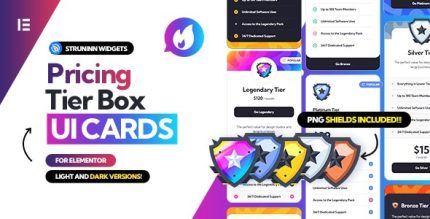
Pricing Tier Box – UI Cards for Elementor 1.0.0
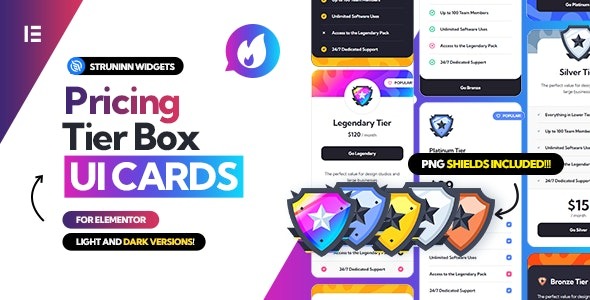
Pricing Tier Box is an Elementor template kit for WordPress that provides ready-to-use UI cards for showcasing pricing tiers. Build clear, responsive comparison sections in minutes, keep design consistent across pages, and enhance click confidence with well-structured layouts. Ideal for SaaS, apps, and service plans.
Description
The Pricing Tier Box – UI Cards for Elementor is an Elementor-focused UI element for building clean, readable pricing sections on WordPress websites. It helps you present subscription or package tiers in a card-based layout that users can scan quickly.
Instead of manually designing pricing tables, you can assemble a structured tier display that fits your site’s design. This makes it useful for landing pages, product pages, and marketing sections where clarity and hierarchy directly affect how visitors understand your offer.
Main Features
- Pricing tier cards layout — Displays multiple pricing plans as individual UI cards for easy comparison.
- Elementor editor compatibility — Lets you build and edit the pricing section directly within Elementor on WordPress.
- Custom tier content — Supports per-card titles, pricing text, and descriptive details.
- Configurable call-to-action — Includes space for linking users to your next step (e.g., signup or checkout page).
- Featured plan emphasis — Helps you visually highlight a “recommended” or “popular” tier to guide decisions.
- Typography and spacing controls — Allows you to tune text styles and card spacing for readability.
- Responsive presentation — Keeps pricing tiers usable on mobile, tablet, and desktop layouts.
- Consistent UI styling — Maintains a structured look that aligns with modern theme and template kit designs.
Benefits
- Clearer plan comparison — Card-based structure improves UX by making differences between tiers easier to spot.
- Higher conversion intent — Prominent CTAs and hierarchy can increase click-through to signup or purchase flows.
- Better on-page clarity — Structured titles, pricing, and details reduce confusion for first-time visitors.
- Faster page building — Reusable tier formatting simplifies updates across landing pages and templates.
- Design consistency — Typography and spacing controls help maintain a cohesive look with your Elementor theme styling.
Who is it suitable for?
- WooCommerce stores showing subscriptions, bundles, or service tiers.
- Freelancers and agencies creating marketing landing pages in Elementor.
- Online course providers and coaching platforms presenting package options.
- SaaS companies and tools that need a clean pricing section on WordPress.
- Product-focused blogs and content creators promoting digital offers.
- Website owners maintaining multiple Elementor template kits with consistent UI.