Pricing List Widget For Elementor 1.0.1
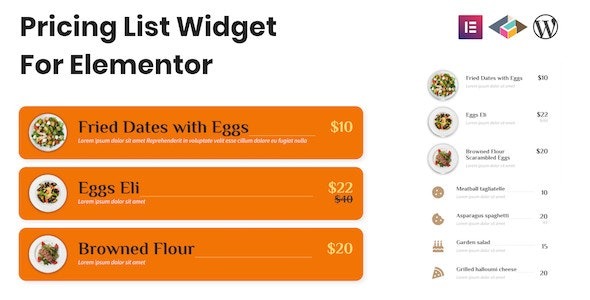
Pricing List Widget For Elementor makes building a clean pricing menu in Elementor simple with four layouts, perfect for WordPress sites. It streamlines pricing presentation, boosting conversions and clarity for visitors. Plus, easy integration and a polished design give you flexibility to match your site—explore it now.
Description
Pricing List Widget For Elementor is an addon plugin for Elementor that helps WordPress site owners build a clear pricing menu inside the Elementor editor. Instead of manually formatting tables or lists, you can use the dedicated pricing list widget to present your plans in a clean, structured way.
With four ready layouts, the widget streamlines how you organize pricing information, improving clarity for visitors and making it easier to compare options. It’s a practical choice for sites that need a polished pricing section and a smoother workflow when creating pages with Elementor, theme templates, and landing page content.
Main Features
- Elementor addon integration — Adds a dedicated pricing list widget to the Elementor builder.
- Pricing list widget — Provides a purpose-built element for displaying plan or tier pricing.
- Four layout options — Lets you choose from four predefined pricing list designs.
- Cleaner pricing presentation — Helps structure pricing content in a readable menu format.
- Elementor editor workflow — Builds and previews the pricing section directly while editing pages.
- WordPress-friendly setup — Works as a WordPress plugin for Elementor-based websites.
Benefits
- Better clarity — Visitors can scan and compare plans more easily when pricing is organized consistently.
- Higher conversions — Clear presentation of options supports stronger decision-making and CTA clicks.
- Improved UX — A structured pricing menu reduces confusion and creates a more coherent page experience.
- Faster page building — Using the widget and layouts cuts down time spent on manual formatting.
- More design flexibility — Multiple layout choices help match the look of your Elementor page or template kit.
Who is it suitable for?
- Elementor-powered business websites
- SaaS and subscription landing pages
- Agencies building client pages with Elementor
- Online courses and membership sites
- Ecommerce or service providers showcasing plan tiers