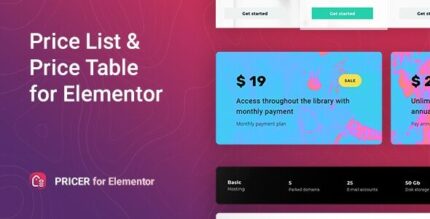
Pricer 1.0.10 – Price List for Elementor

Description
Pricer is a flexible WordPress plugin that adds an Elementor widget for building attractive price lists and price tables. It helps you solve the common problem of making pricing sections that look good and stay easy to edit as your offers change. With clear Pricer widget settings, you can display prices for your products or services in the style you want—without writing code. Designed for the Elementor editor, it fits naturally into pricing pages and other conversion-focused layouts where design clarity matters.
Whether you’re presenting a simple menu of packages or a structured comparison table, Pricer streamlines how pricing information is organized and styled. It combines Elementor workflow with straightforward configuration so you can focus on visuals and messaging rather than technical implementation. Explore Pricer to create more polished pricing visuals while keeping edits fast and predictable.
Main Features
- Elementor widget for pricing — Use Pricer directly inside the Elementor page builder.
- Price list builder — Create clean price lists to present offers in an organized format.
- Price table builder — Build table-style layouts for clearer comparison of pricing details.
- Flexible styling options — Display prices in different visual styles based on your layout needs.
- Clear widget settings — Configure the output through straightforward Pricer controls rather than code.
- Supports product and service pricing — Show prices for your products or services within the widget.
- No coding required — Achieve results without any coding knowledge.
- Designed for pricing pages — Fits common WordPress/Ecommerce use cases where pricing is a key section.
Benefits
- Better pricing presentation — Cleaner lists and tables improve how visitors perceive your offers.
- More design control — Flexible styles help you match your theme and page layout without technical work.
- Faster updates — Edit pricing visuals directly in Elementor, making changes quicker as your catalog evolves.
- Improved user clarity — Structured pricing formats help users find the right option with less effort.
- Lower setup friction — Clear settings and no-code use reduce the time needed to implement pricing sections.
Who is it suitable for?
- WooCommerce stores that want attractive pricing sections on product or campaign pages.
- Service providers (agencies, freelancers, consultants) showcasing packages and rates.
- WordPress website owners building marketing pages with Elementor.
- Agencies and web designers creating reusable pricing layouts for clients.
- Online businesses that update pricing frequently and need an easy editing workflow.