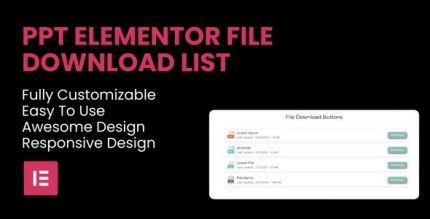
PPT File Download List Elementor Widget 1.0.4

PPT File Download List Elementor Widget lets you display and download PowerPoint files directly on your WordPress site with Elementor, boosting user engagement and content accessibility. Easy integration, customizable display options, and a fully responsive design ensure a seamless experience across devices for educational, corporate, and event sites. Discover a simple, powerful way to offer PPT downloads.
Description
The PPT File Download List Elementor Widget is a WordPress plugin designed for Elementor users who want to share PowerPoint presentations directly on their website. Instead of redirecting visitors elsewhere, it lets you display a downloadable list of PPT files within your pages. This solves a common content-access problem for educational materials, corporate reports, and event resources by making files easy to find and act on.
With Elementor integration, you can build and place the widget using a drag-and-drop workflow, while its customizable layout and responsive design help the download experience fit your theme and perform well on desktop, tablet, and mobile.
Main Features
- Elementor widget integration — Add the PPT download list directly inside Elementor layouts using drag-and-drop building.
- Downloadable file list — Show PowerPoint presentations as a list that visitors can view and download from your site.
- Customizable file list layout — Adjust the way the PPT items are presented to match your page structure.
- Icon customization — Configure icons for the download list to improve visual clarity.
- Text customization — Customize text elements so the widget fits the wording and style of your site.
- Responsive design — Ensures the download list adapts cleanly across screen sizes.
- Works with WordPress themes — Designed to integrate smoothly into Elementor-powered WordPress websites and templates.
Benefits
- Better content accessibility — Visitors can quickly locate and download PPT files without leaving the page.
- Higher engagement — Clear in-page actions support more interaction with your educational, corporate, or event content.
- Consistent design — Layout, icons, and text customization help keep the widget aligned with your theme and branding.
- Improved UX on mobile — A responsive list supports easy reading and downloading across devices.
- Simpler publishing workflow — Elementor placement streamlines updates when you add or reorganize presentation files.
Who is it suitable for?
- Educational websites sharing course slide decks and training PPTs.
- Corporate sites publishing reports and internal presentation downloads.
- Event websites providing conference and seminar resources.
- WordPress + Elementor agencies building page templates with downloadable assets.
- Marketing and communications teams maintaining structured content libraries.
- Content managers who need an embedded way to distribute PPT materials.