Postberg 1.0 – Latest Posts Block WordPress Plugin
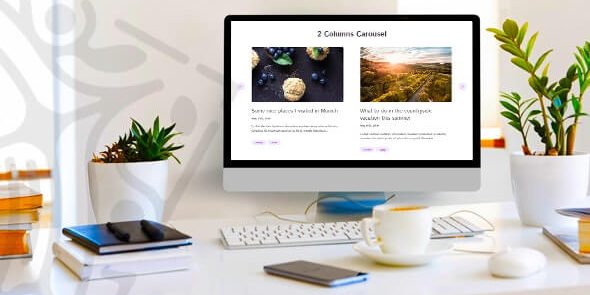
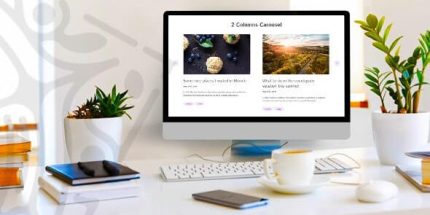
Postberg lets you display your latest blog posts in a beautiful grid, list, or slider. This WordPress plugin boosts engagement with customizable layouts, carousel option, and adjustable typography/colors for titles and descriptions, plus easy setup per page and fullwidth options. Explore Postberg today.
Description
Postberg helps you showcase your latest WordPress posts in a clean, engaging layout—grid, list, or slider. Instead of manually updating post links, you can use the Latest Posts Block to pull content directly from your site’s blog feed. It’s useful when you want visitors to discover new articles quickly while keeping the design consistent with your theme.
With Postberg, you can fine-tune how posts appear on each page: layout density, ordering, pagination, carousel behavior, and fullwidth display options. You also gain control over typography and styling for titles, descriptions, categories, and buttons, making it easier to match your brand without custom code.
Main Features
- Grid view layouts — Display recent posts in a grid with options for showing/hiding the date and a “read more” button.
- Custom featured image height — Set a consistent height for post featured images in the grid layout.
- List view design — Render posts as a list with column-based spacing and list-specific styling while keeping similar controls.
- Slider (slideshow) option — Fetch blog posts and present them in a modern slideshow layout.
- Order and display controls — Choose newest to oldest, oldest to newest, or alphabetical A–Z / Z–A, and configure posts per column.
- Items per page — Control how many posts appear per page or page chunk for grid and list layouts.
- Pagination support — Add pagination to grid and list views for easier navigation through more posts.
- Carousel toggle — Transform grid and list views into a carousel by enabling the “show carousel” option.
- Typography and color customization — Adjust title and description font-size, font-family, font-weight, and colors for better visual consistency.
- UI styling options — Customize categories, the read more button, slider arrows/colors, and hover effects on selected elements.
Benefits
- Higher engagement — Present new posts in a visually structured way so visitors are more likely to click through and read.
- Better UX navigation — Use pagination and slider behavior to help users browse without feeling overwhelmed.
- More consistent branding — Match your theme by controlling typography, colors, button styling, and hover effects.
- Improved content discoverability — Keep readers connected to fresh articles with configurable ordering and category/description presentation.
- Faster page updates — Automatically pulls your latest blog content, reducing manual linking when you publish new posts.
Who is it suitable for?
- WordPress bloggers who want a polished “latest posts” section
- News and magazine-style sites featuring frequent updates
- Content marketers building landing pages with recent articles
- Agencies managing multiple WordPress client sites and layouts
- Website teams who need consistent typography and styling across post modules
- Editors who publish regularly and want automatic post display