Pontus 1.0 – Creative Portfolio Agency WordPress Theme
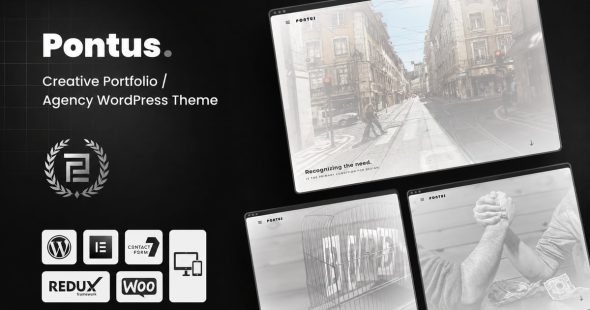
Pontus is a creative portfolio agency WordPress theme built to help studios and freelancers present their projects with a modern, brand-forward layout. It supports quick page setup for services, case studies, and contact content, helping visitors find relevant work faster and boosting lead conversions with a polished online presence.
Description
Pontus is a WordPress portfolio agency theme designed to help creative studios and consultants present work clearly and attractively. It addresses the common problem of building a professional portfolio without starting from scratch—so you can showcase projects, services, and team with a consistent layout.
Built for fast setup and customization, Pontus works well with modern WordPress workflows and Elementor-based editing. With ready-to-use pages and structured sections, it improves how visitors explore your portfolio and helps search engines understand your content.
Main Features
- Portfolio showcase layouts — Curate projects with gallery-style sections and clear visual hierarchy.
- Project detail sections — Present case study information in a structured, scannable format.
- Service presentation blocks — Outline offerings with organized content areas for quick browsing.
- Testimonial and social proof areas — Add client quotes to build trust and credibility.
- Team-friendly sections — Introduce members or collaborators using consistent styling.
- Blog-ready structure — Support content publishing with readable typography and section ordering.
- Elementor-friendly customization — Adjust layouts and content using a drag-and-drop editor workflow.
- Responsive design — Ensure pages display cleanly across mobile, tablet, and desktop screens.
- SEO-conscious page structure — Use semantic layout patterns that help improve content clarity.
Benefits
- Faster portfolio publishing — Launch pages quickly with organized sections and reusable templates.
- Better user experience — Guide visitors through work, services, and proof without confusion.
- Higher engagement — Strengthen browsing with clear project presentation and readable layouts.
- Improved SEO visibility — Support search-friendly structure for more consistent indexing.
- More consistent branding — Keep typography and spacing aligned across your site.
Who is it suitable for?
- Creative agencies showcasing design, branding, or marketing work
- Freelancers building a polished personal portfolio
- Studios that need case-study style project pages
- Content creators and bloggers who also promote services
- WordPress users using Elementor for page customization
- Teams preparing a professional website for client acquisition