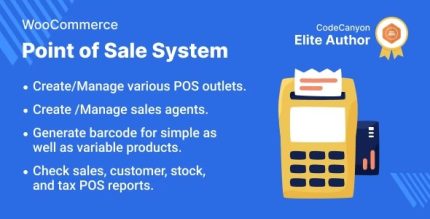
Point of Sale System for WooCommerce 6.6.0 – POS Plugin

Point of Sale System for WooCommerce lets you manage online and physical stores from one place, with a POS front-end for each location. It unifies sales and customer data across channels for faster, mistake-free checkout. An added advantage is easy store-agent assignment, clean design, and smooth WooCommerce integration—explore how it fits your shop today.
Description
Point of Sale System for WooCommerce helps you run both online and physical sales from one WordPress-powered setup. With a dedicated POS front-end for each location, you can manage in-store transactions alongside your eCommerce orders. The plugin unifies sales records and customer data across channels, so staff can access consistent information during checkout. As a result, it supports faster, mistake-free ordering while keeping your WooCommerce store structure intact.
It also simplifies operations with easy store-agent assignment and a clean, location-focused interface. If you work with multiple storefronts, this WooCommerce POS plugin helps you delegate daily sales tasks while maintaining centralized control of customers and orders.
Main Features
- Online + physical store management — Manage orders and customers for multiple sales channels from one system.
- POS front-end per location — Provide a dedicated POS experience tailored to each physical store.
- Store-agent assignment — Allow admins to assign a store agent to a specific location’s POS operations.
- Unified sales and customer data — Keep customer records consistent across online orders and in-store sales.
- WooCommerce integration — Use WooCommerce products and checkout flow within the POS context.
- Sales management for assigned agents — Enable store agents to manage sales and customer interactions at their location.
- Checkout accuracy — Reduce data mix-ups by linking POS actions to the same customer and order data.
- Clean, location-focused POS design — Offer a clear interface that supports daily in-store workflows.
Benefits
- Consistent customer experience — Unified customer data helps staff serve shoppers with the right context.
- Faster in-store checkout — Ready-to-use POS front-ends reduce friction during busy transactions.
- Fewer order mistakes — Tying POS activity to shared data supports more accurate order creation.
- Better operational control — Admin assignment of store agents keeps access aligned with locations.
- Simplified omnichannel reporting — Centralized sales tracking across online and physical channels improves visibility.
Who is it suitable for?
- WooCommerce stores selling through both online and physical locations.
- Retail brands with multiple branches that need per-location POS screens.
- Store owners who want centralized customer and sales management.
- Agencies or developers managing multi-store WooCommerce setups.
- Operations teams assigning staff to specific store locations.
- Shops that need an omnichannel workflow without splitting data sources.