Piotnet Forms Pro 2.1.43

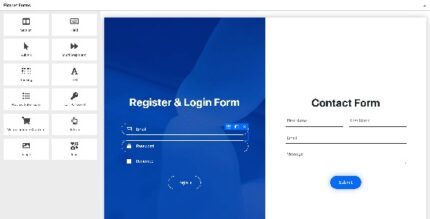
Piotnet Forms Pro is a WordPress form plugin that lets you build a professional landing page with drag & drop, no coding. Get a highly customizable, responsive form with borders, padding, margin, and color control for fields and submit button, plus extra Pro features. A sleek choice for faster conversions and easy integration—perfect to explore today.
Description
Piotnet Forms Pro is a WordPress form plugin designed to help you build professional landing-page style forms without writing code. With a drag & drop workflow in WordPress, you can assemble form layouts quickly and focus on getting the right user input.
It’s useful when you need forms that match your website’s design, since you can control responsive styling for form fields and the submit button. Piotnet Forms Pro also includes extra Pro capabilities on top of the free plugin, making it easier to refine spacing, borders, and colors.
Main Features
- Drag & drop form builder — Create landing-page forms visually without coding.
- Landing page form layout — Build forms intended to capture leads and actions on key pages.
- Responsive design controls — Ensure your form looks consistent across devices.
- Field border customization — Adjust borders for individual form fields.
- Field spacing controls — Fine-tune padding and margin for better readability.
- Color control for fields — Match input styling to your theme and brand.
- Submit button styling — Customize the submit button’s look to align with your page.
- Extra Pro options — Access additional capabilities included with the Pro version.
- Works as a WordPress plugin — Install and use it inside your WordPress workflow.
- Pairs with the free version — Typically requires installing the free version first.
Benefits
- Faster creation — Build and adjust forms quickly using drag & drop, reducing manual setup time.
- Better UX — Improved spacing, borders, and responsive behavior make fields easier to scan and use.
- Consistent branding — Color and style controls help your form visually match your theme and landing page.
- Higher conversion potential — Clear, well-styled submit CTAs can support stronger form engagement.
- Ease of iteration — Tweak field and button styling without redesigning the form from scratch.
Who is it suitable for?
- Businesses building lead-capture landing pages in WordPress.
- Marketing teams and agencies managing multiple campaign forms.
- Creators and bloggers adding newsletter or contact forms.
- WooCommerce stores that want embedded form experiences for promotions.
- Websites aiming to improve form usability and mobile responsiveness.
- Anyone using WordPress themes and page layouts who prefers no-code form building.