Pinterest to WordPress 1.1.2 – WordPress Pinterest Gallery Plugin
Description
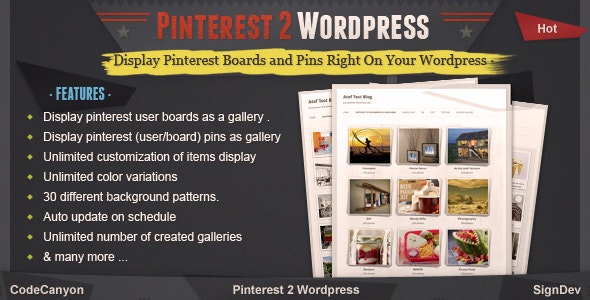
Pinterest to WordPress is a WordPress plugin that connects your Pinterest account to your website. It helps you display your Pinterest boards and pins directly on your WordPress site, so social inspiration becomes usable on-page content. Instead of manually copying images and captions, the plugin keeps your Pinterest sections refreshed automatically. This makes it easier to maintain a fresh look, support content discovery, and reflect what you’re currently curating on Pinterest.
Whether you’re showcasing a theme-based collection or highlighting recent pins, this plugin turns your Pinterest presence into a living part of your WordPress experience. Automatic updates help reduce ongoing maintenance while keeping what visitors see aligned with your latest boards and pins.
Main Features
- Pinterest account integration — Connect your Pinterest profile to your WordPress site through the plugin.
- Board display — Show your Pinterest boards within your WordPress pages or posts.
- Pin display — Render your Pinterest pins so visitors can browse your content directly on-site.
- Automatic updates — Refresh displayed boards and pins automatically to match your Pinterest activity.
- Content consistency — Keep your on-site visuals aligned with your latest Pinterest curation without manual edits.
- Plugin-based setup — Use the dedicated Pinterest to WordPress plugin inside your existing WordPress environment.
- Social-to-site embedding — Turn Pinterest collections into embedded WordPress content for a unified site experience.
Benefits
- Fresh content flow — Automatic updates help ensure your site stays current with new pins and board activity.
- Better user experience — Visitors can explore Pinterest-inspired visuals without leaving your WordPress pages.
- Less manual maintenance — Reduce the time spent copying links or recreating pin galleries.
- Stronger engagement — Curated boards encourage browsing and longer time on relevant site sections.
- Smarter content reuse — Re-purpose your Pinterest work as on-site content that supports your WordPress presence.
Who is it suitable for?
- WordPress bloggers who curate content on Pinterest and want it displayed on-site
- Small businesses using Pinterest to promote products, collections, or seasonal themes
- Marketing teams managing visual campaigns across Pinterest and WordPress
- Creative portfolios that rely on boards to organize projects and inspiration
- Content creators who want a consistent visual gallery without frequent updates
- Agencies supporting multiple WordPress sites with social content integrations