PDF Catalog WooCommerce 1.18.10
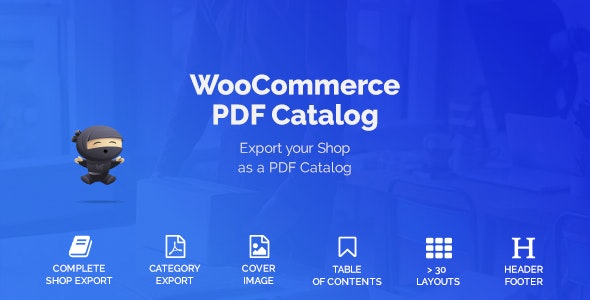
PDF Catalog WooCommerce turns your WooCommerce shop into a sleek PDF catalog, perfect for offline customers. Create a customizable, beautiful catalog from your entire shop or a category, right from the admin panel—no HTML/CSS needed. Ideal for easy offline sharing, seamless integration, and quick customer outreach.
Description
PDF Catalog WooCommerce is a WooCommerce plugin that helps you convert your online store into a downloadable PDF catalog for offline customers. Instead of only relying on product pages, you can package products into a clean, shareable catalog users can view without an internet connection.
You can generate a catalog from your entire shop or focus on a specific product category. The plugin lets you design and customize the catalog directly from the WordPress admin panel, without needing HTML or CSS.
Main Features
- Shop-wide PDF catalog creation — Build a PDF catalog from all products in your WooCommerce store.
- Category-based catalogs — Create catalogs from a selected product category for targeted outreach.
- Admin-panel customization — Configure catalog appearance and content from the WordPress dashboard.
- No HTML/CSS required — Set up the catalog without writing code or custom styling.
- Catalogs generated inside your shop — Manage and produce PDF catalogs within the WooCommerce workflow.
- Offline-ready presentation — Provide a PDF format that works for customers who prefer or need offline access.
- Attractive, configurable layout — Present your products in a “simply beautiful” catalog style.
Benefits
- Better offline UX — Give customers a readable PDF catalog experience when they can’t browse online.
- More effective outreach — Share category or shop catalogs quickly via email or offline materials.
- Cleaner product presentation — Consolidate many WooCommerce items into a single, structured document.
- Reduced setup complexity — Customize through the admin panel instead of requiring custom development.
- Smarter targeting — Use category catalogs to align materials with specific customer interests.
Who is it suitable for?
- WooCommerce store owners who need offline catalog versions of products
- Marketing teams running email and brochure-style campaigns
- Agencies managing multiple WooCommerce sites and client product catalogs
- Businesses that sell through sales reps, events, or printed handouts
- Content creators and publishers using WooCommerce catalogs for audience sharing
- Stores that want category-focused PDF catalogs for specific collections