Palleon 3.8.5 – WordPress Image Editor
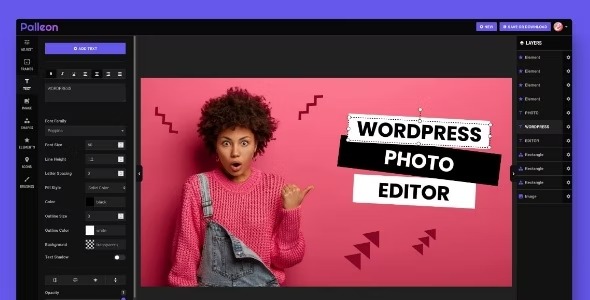
Palleon is a WordPress plugin that lets you crop, rotate, and resize images with just a few clicks, plus easy filters to create beautiful photo effects. It streamlines image editing, helping you speed up workflows and improve visual appeal across your site. Ideal for designers seeking quick, accurate image tweaks and cohesive aesthetics.
Description
Palleon is a WordPress plugin built to simplify image editing on your site. With a few clicks, you can crop, rotate, and resize photos directly for more consistent visuals. It also includes easy image filters that help you create appealing photo effects without switching tools. This streamlines day-to-day media work, making it easier to maintain a cohesive look across your WordPress pages and posts.
Whether you update a gallery, refine visuals for a theme, or batch-adjust images for a content workflow, Palleon helps you make quick, accurate tweaks so your focus stays on publishing.
Main Features
- Quick image cropping — Trim photos to your preferred framing with simple, click-based controls.
- Rotate images — Reorient images to the correct angle in the editing flow.
- Resize photos — Adjust image dimensions to better fit layouts and design requirements.
- Fast multi-step edits — Combine crop, rotate, and resize actions without leaving your WordPress workflow.
- Easy-to-use image filters — Apply filters to create distinct photo effects quickly.
- Consistent visual output — Help standardize how images appear across different sections of your site.
- Designer-friendly adjustments — Support quick iterations for visual updates during content creation.
- Works as a WordPress plugin — Use the tool within your existing WordPress media workflow.
Benefits
- Save editing time — Reduce turnaround by handling crop, rotate, and resize in a streamlined plugin workflow.
- Improve visual consistency — Keep image sizing and orientation aligned with your theme’s layout.
- Create stronger photo effects — Add filters to elevate the look of images without complex setup.
- Better user experience — Present cleaner, well-framed visuals that enhance readability and engagement.
- Faster content production — Speed up updates for ongoing posts, galleries, and site refreshes.
Who is it suitable for?
- WooCommerce store owners updating product and category images.
- Bloggers and content creators who publish image-heavy posts.
- Web and graphic designers fine-tuning visuals for WordPress themes.
- Agencies managing multiple client sites and media workflows.
- Teams building and maintaining template kits or layout collections.
- Small businesses refreshing site galleries and marketing images regularly.