Osteo Pricing Table for WPbakery Page Builder 1.0.0
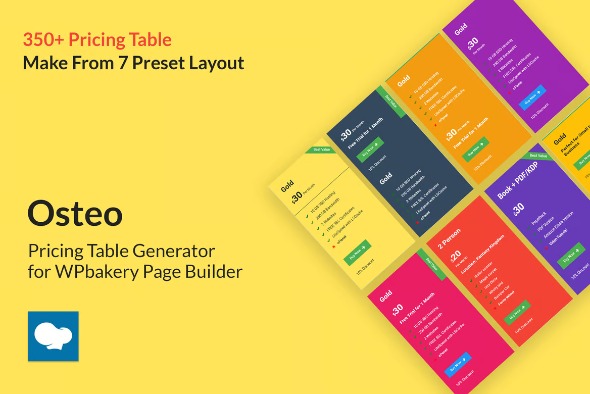
Osteo Pricing Table for WPbakery Page Builder helps you craft clean, responsive pricing tables right inside WordPress using WPBakery. Main benefit: showcase plans clearly to boost conversions. Extra advantage: seamless WPBakery integration and modern design options. Ready to compare features at a glance? Explore it today.
Description
Osteo Pricing Table for WPbakery Page Builder is a WordPress plugin designed to help you build clear, responsive pricing tables directly within the WPBakery interface. It solves the common problem of presenting plans in a way that looks consistent across devices and stays easy to edit.
With seamless WPBakery integration, you can arrange plan names, prices, and feature lists into a modern layout that supports comparison at a glance. The result is a cleaner user experience that can support higher conversions by making decision-making faster and more intuitive.
Main Features
- WPBakery element support — Add pricing tables as a WPBakery component inside your WordPress pages.
- Responsive layout — Ensures the pricing table adapts cleanly to mobile, tablet, and desktop screens.
- Plan and tier customization — Configure multiple plans with titles, pricing, and included details.
- Feature list formatting — Display benefits and specs in an organized, scannable format for each plan.
- Modern design options — Choose styling that fits your theme for a polished, consistent look.
- Clean structure for comparisons — Present features side by side so visitors can evaluate options quickly.
- WordPress editor workflow — Build and update pricing sections without leaving the page creation process.
- Reusable table styling — Keep pricing presentation consistent across landing pages and product pages.
Benefits
- Higher conversions — Clear plan comparison helps visitors choose confidently.
- Better UX — Responsive design improves readability on all devices.
- Faster page updates — Manage pricing content directly in WPBakery when requirements change.
- Improved engagement — Well-structured features reduce friction and keep users focused.
- Consistent branding — Styling options help the table match your theme and website look.
Who is it suitable for?
- WooCommerce stores showcasing subscription or tiered offerings.
- WordPress agencies building landing pages for clients.
- SaaS and app websites that need plan comparison sections.
- Content creators and bloggers promoting digital products or memberships.
- Online course platforms describing packages and feature tiers.
- Teams maintaining marketing pages in WPBakery across multiple sites.