Osteo Pricing Table for Elementor 1.0
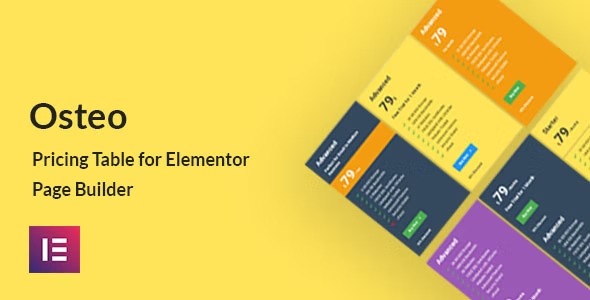
Osteo Pricing Table for Elementor is a WordPress plugin that lets you craft 350+ pricing table styles with 7 presets, no coding needed. Create clear, persuasive pricing for your products with easy drag-and-drop Elementor integration; the main benefit is faster, conversion-focused pricing pages. A bonus is polished designs and seamless compatibility.
Description
Osteo Pricing Table for Elementor is a WordPress plugin that helps you build pricing tables directly inside Elementor Page Builder. Instead of writing code, you can assemble clean, persuasive pricing layouts using preset structures and a large library of ready-made styles. It solves the common problem of slow, inconsistent pricing page creation by giving you design options that can be applied quickly within your existing Elementor workflow.
With 350+ pricing table styles and 7 preset layouts, Osteo makes it easier to compare plans and present product pricing in a more user-friendly way. You get polished designs and seamless compatibility with Elementor so your pages stay consistent and easy to edit.
Main Features
- 350+ pricing table styles — Choose from a large set of ready-to-use visual variations for different offers.
- 7 preset layouts — Start from preset structures and keep your pricing pages consistent across sections.
- Elementor integration — Build and place pricing tables using Elementor’s page editor.
- No coding required — Create pricing tables through the plugin interface without developer help.
- Conversion-focused presentation — Format plan information in a clear, scannable way for better decision-making.
- Polished, template-ready designs — Use pre-designed pricing components to reduce styling effort.
- Easy editing workflow — Update pricing table elements directly within your Elementor pages.
- Seamless compatibility — Designed to work smoothly with Elementor-based WordPress sites and layouts.
Benefits
- Faster setup — Assemble pricing pages quickly by reusing presets and style variations instead of building from scratch.
- Clearer UX — Improve plan comparison with structured, readable pricing table layouts.
- Higher conversions — Present offers in a more persuasive format that helps visitors choose confidently.
- More consistent design — Keep pricing sections aligned across pages by using controlled layouts and cohesive styles.
- Better scalability — Create multiple pricing pages or sections for new products without reworking designs.
Who is it suitable for?
- WooCommerce stores needing plan or tier pricing sections
- SaaS products and subscriptions with multiple packages
- Agencies building Elementor-based landing pages for clients
- Freelancers and WordPress users creating marketing pages
- Online schools and membership sites showing course or access tiers