Osteo Countdown for Elementor 1.0.0
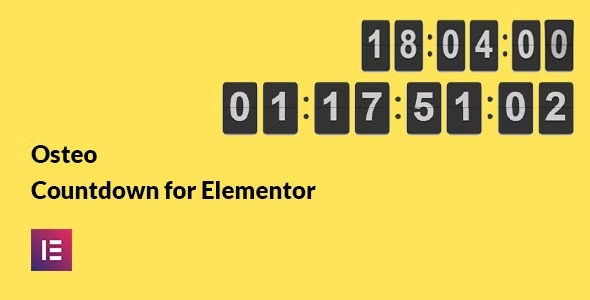
Osteo Countdown for Elementor transforms any page with a fast, no-code countdown timer. It drives urgency and conversions on your Wordpress site through simple drag-and-drop setup and seamless Elementor integration. A smart choice with clean design, quick setup, and reliable timing—perfect to engage visitors and boost sales.
Description
Osteo Countdown for Elementor is a WordPress plugin that adds a fast, no-code countdown timer to your pages using Elementor Page Builder. It helps you create time-based messaging for launches, promotions, events, or booking deadlines without writing code. With drag-and-drop placement and seamless Elementor integration, you can quickly apply the timer to any Elementor page or template kit layout.
Whether you’re building a WooCommerce product page, a landing page, or an event announcement, the countdown draws attention to a specific moment and keeps urgency messaging consistent. Clean visuals and reliable timing make it a practical option for improving visitor engagement on your site.
Main Features
- Elementor widget integration — Add the countdown directly inside Elementor for page editing and layout control.
- No-code setup — Configure the countdown without requiring programming knowledge.
- Drag-and-drop placement — Position the timer wherever it fits your design in the Elementor canvas.
- Countdown timer configuration — Set the target time so the timer counts down toward your chosen deadline.
- Customizable appearance — Adjust styling so the timer matches your theme and page branding.
- Works on Elementor pages — Use the timer across individual pages and reusable layouts.
- Responsive display — Ensure the countdown remains readable across common device sizes.
- Reliable timing behavior — Keep the countdown accurate for time-sensitive campaigns.
Benefits
- More engagement — Time-based UI elements encourage visitors to pay attention and act sooner.
- Higher conversions — Urgency messaging supports conversion-focused pages like offers and sales launches.
- Better UX — A clear countdown improves comprehension of deadlines at a glance.
- Faster publishing — No-code configuration reduces build time for marketing and event pages.
- Consistent results — Reliable timing helps maintain trust during promotional windows.
Who is it suitable for?
- WooCommerce store owners promoting limited-time offers
- Marketing teams creating Elementor landing pages
- Web agencies building client sites with Elementor
- Event organizers and webinar hosts with fixed start deadlines
- Online course creators with enrollment cutoffs
- Bloggers and creators running time-sensitive announcements